OpenCode Agent Masterclass — Full Tutorial
Everything you need to install, configure, and master OpenCode — the open-source AI coding agent with 179k+ GitHub stars, available as a terminal TUI, desktop app, and IDE extension.
Official: opencode.ai · Docs: opencode.ai/docs · Source: github.com/anomalyco/opencode
This guide matches our Hermes Agent Masterclass and OpenClaw format: prose and lists, plus terminal and diagram GIFs at 1200×600.
Media assets (copy for Medium)
| Asset | URL |
|---|---|
| Mega overview | https://ayush7614.github.io/agentic-ai-ecosystem/guides/opencode-agent-masterclass/assets/mega-opencode-everything.gif |
| Harness stack | https://ayush7614.github.io/agentic-ai-ecosystem/guides/opencode-agent-masterclass/assets/diagram-opencode-stack.gif |
| Build vs Plan | https://ayush7614.github.io/agentic-ai-ecosystem/guides/opencode-agent-masterclass/assets/diagram-build-plan.gif |
| MCP + tools | https://ayush7614.github.io/agentic-ai-ecosystem/guides/opencode-agent-masterclass/assets/diagram-mcp-tools.gif |
| Blog poster | https://ayush7614.github.io/agentic-ai-ecosystem/guides/opencode-agent-masterclass/assets/blog-poster-1200x600.png |
What you'll have at the end
- OpenCode installed via curl, npm, or Homebrew
- A provider connected (
/connect) — Zen, Anthropic, OpenAI, Ollama, or Copilot login - Project
AGENTS.mdfrom/init, committed to git - Build and Plan agent modes mastered (
Tabtoggle) - MCP servers, rules, permissions, and skills configured
- Confidence with
/undo,/redo,/share, and@file references
Introduction — the coding agent that meets you where you work
OpenCode is not another chat wrapper. It is a full agent harness for software work: file edits, shell execution, LSP-aware code intelligence, MCP tool servers, subagents, and multi-session parallelism — all from a terminal UI that also ships as a desktop app and VS Code extension.
The project’s pitch is direct: privacy-first, provider-agnostic (75+ models via Models.dev), and open source under MIT. OpenCode does not store your code or context on their servers when you use local or bring-your-own-key providers.
Community scale matters here: 179k+ stars, 900+ contributors, and a release cadence that ships weekly. That velocity shows up in the product — Plan/Build agents, Zen curated models, ACP support, and a plugin ecosystem documented under Develop → Ecosystem.

Part 1 — How OpenCode is structured
OpenCode wraps the model in a coding harness with distinct layers:
- Surfaces — TUI (
opencode), desktop app, IDE extension, web - Agents —
build(full access) andplan(read-only analysis) - Tools — file ops, search, bash, web, code intelligence, subagent spawn
- Configuration — rules, permissions, policies, formatters, keybinds
- Extensions — MCP servers, Agent Skills, custom tools, LSP servers
- Model routing — any provider with API keys or OAuth (Copilot, ChatGPT Plus)
flowchart TB
  U[You — TUI / Desktop / IDE] --> OC[OpenCode runtime]
  OC --> A[Agents: build · plan · @general]
  OC --> T[Tools + LSP]
  OC --> M[MCP servers]
  OC --> R[Rules + Permissions]
  A --> LLM[Model provider]
  T --> WS[Your workspace]
The harness owns when the model can write files, which tools appear in context, and how sessions persist. The model owns reasoning inside that boundary.
Docs map: Tools · Rules · Agents · MCP servers · SDK

Part 2 — Prerequisites
- Terminal: WezTerm, Alacritty, Ghostty, or Kitty recommended (docs)
- macOS, Linux, or WSL — native Windows supported via Scoop/Chocolatey; WSL preferred
- API key from your chosen provider, or OpenCode Zen subscription, or local Ollama
- Git repo for the project you want to work in (for
/init→AGENTS.md)
Part 3 — Install
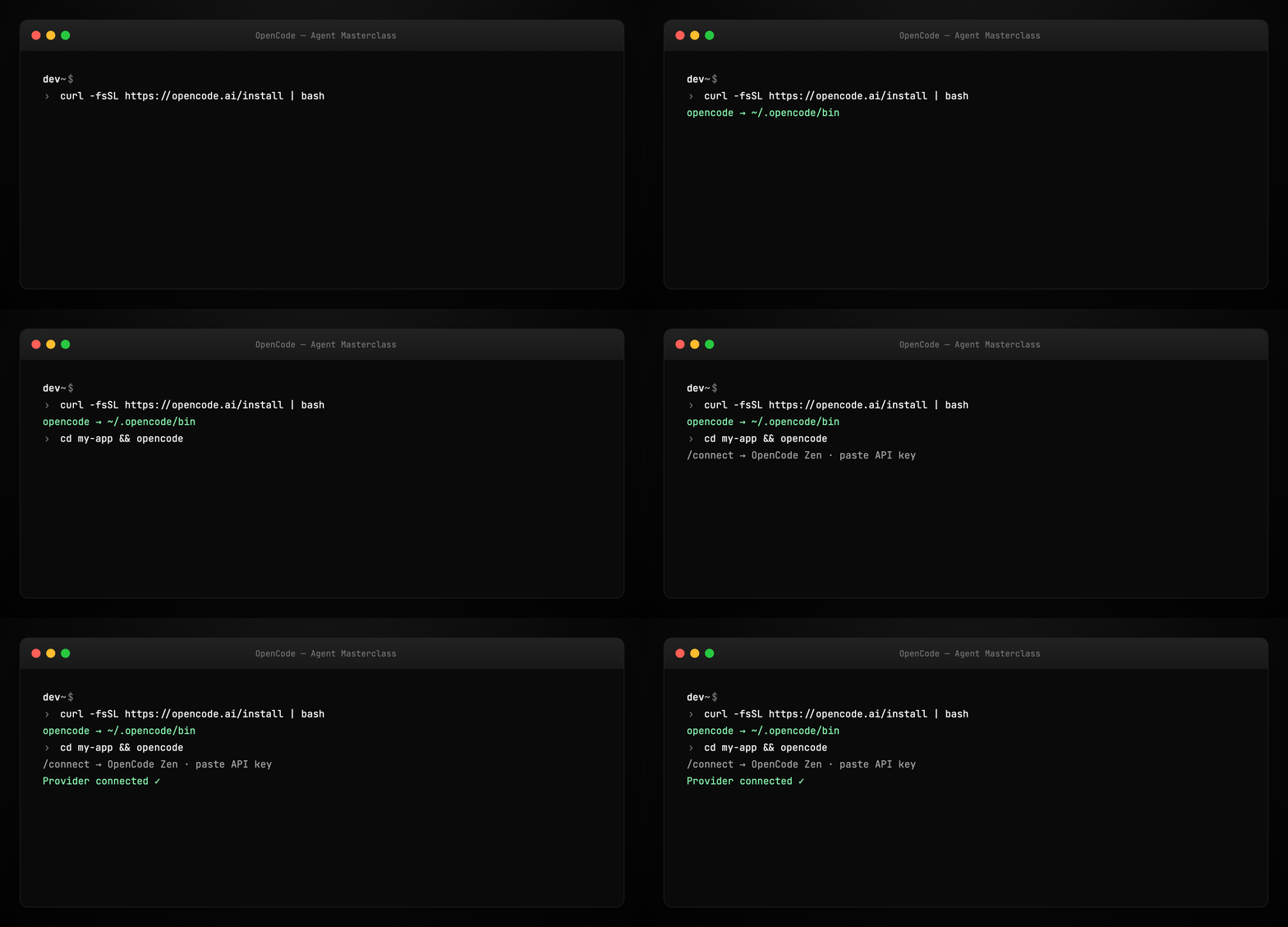
One-liner (recommended)
Install path priority: $OPENCODE_INSTALL_DIR → $XDG_BIN_DIR → $HOME/bin → $HOME/.opencode/bin.
Package managers
npm install -g opencode-ai          # or bun / pnpm / yarn
brew install anomalyco/tap/opencode # macOS/Linux — most up to date tap
Desktop app (beta)
Download from opencode.ai/download — macOS (ARM/x64), Windows, Linux (.deb / .rpm / AppImage).
Part 4 — Configure providers
Launch OpenCode and connect a model:
Inside the TUI:
OpenCode Zen (recommended for beginners): curated models benchmarked for coding agents — sign in at opencode.ai/auth, paste API key.
Other providers: Anthropic, OpenAI, Google, Groq, local Ollama, and more. You can also log in with GitHub Copilot or ChatGPT Plus/Pro OAuth per docs.
Tip: Zen removes the “which model actually works for agents?” guesswork. Self-hosters often pair OpenCode with Ollama for fully offline runs.
Part 5 — Initialize the project (/init)
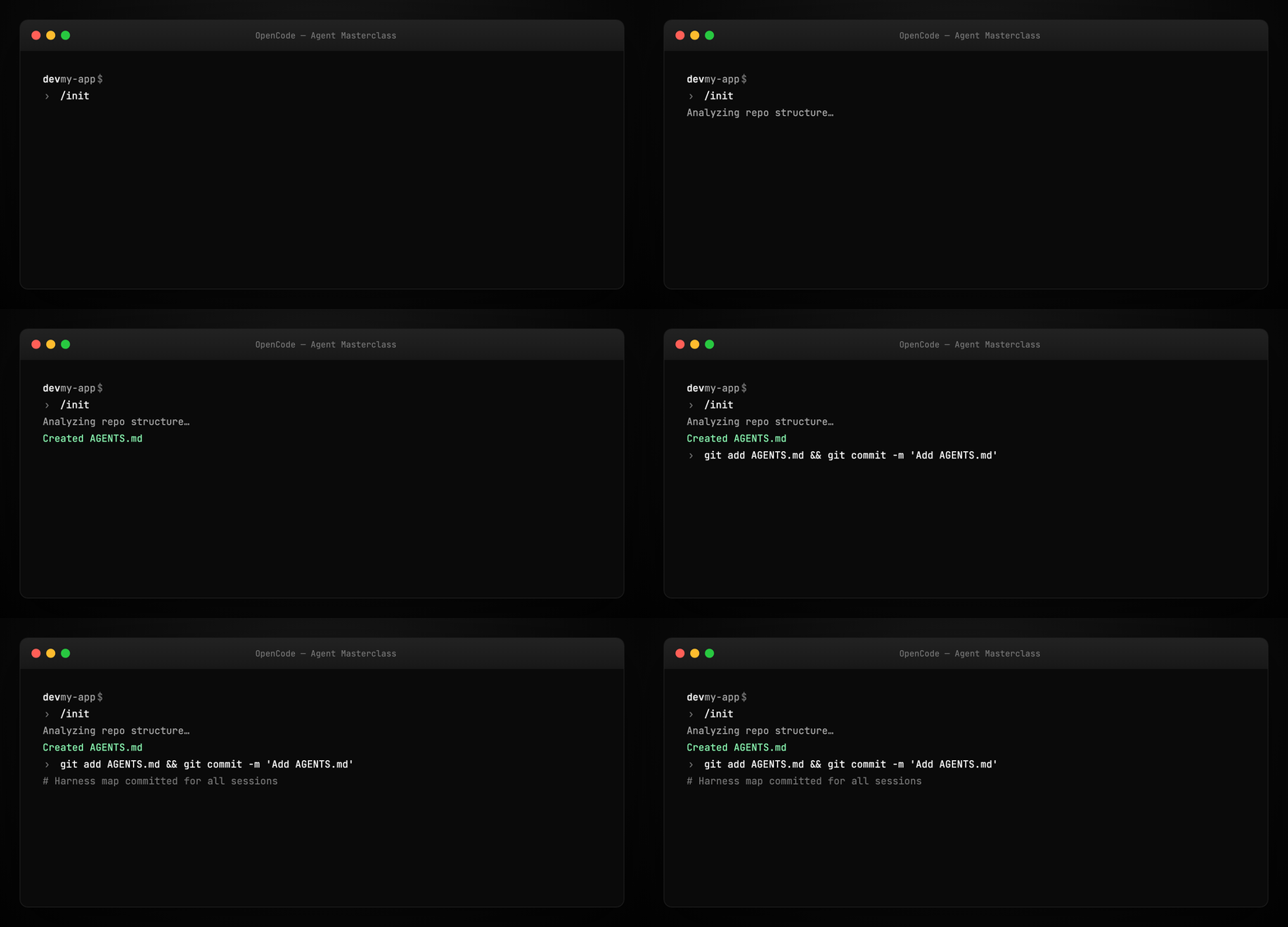
After /connect, initialize harness files:
OpenCode analyzes your repository and writes AGENTS.md at the project root — project structure, conventions, and patterns the agent should respect.
Commit AGENTS.md to git. This is the same harness primitive we teach in Harness Engineering: a durable instruction map, not a one-off prompt.
See examples/AGENTS.md.example for the shape OpenCode generates.
Part 6 — Build vs Plan agents
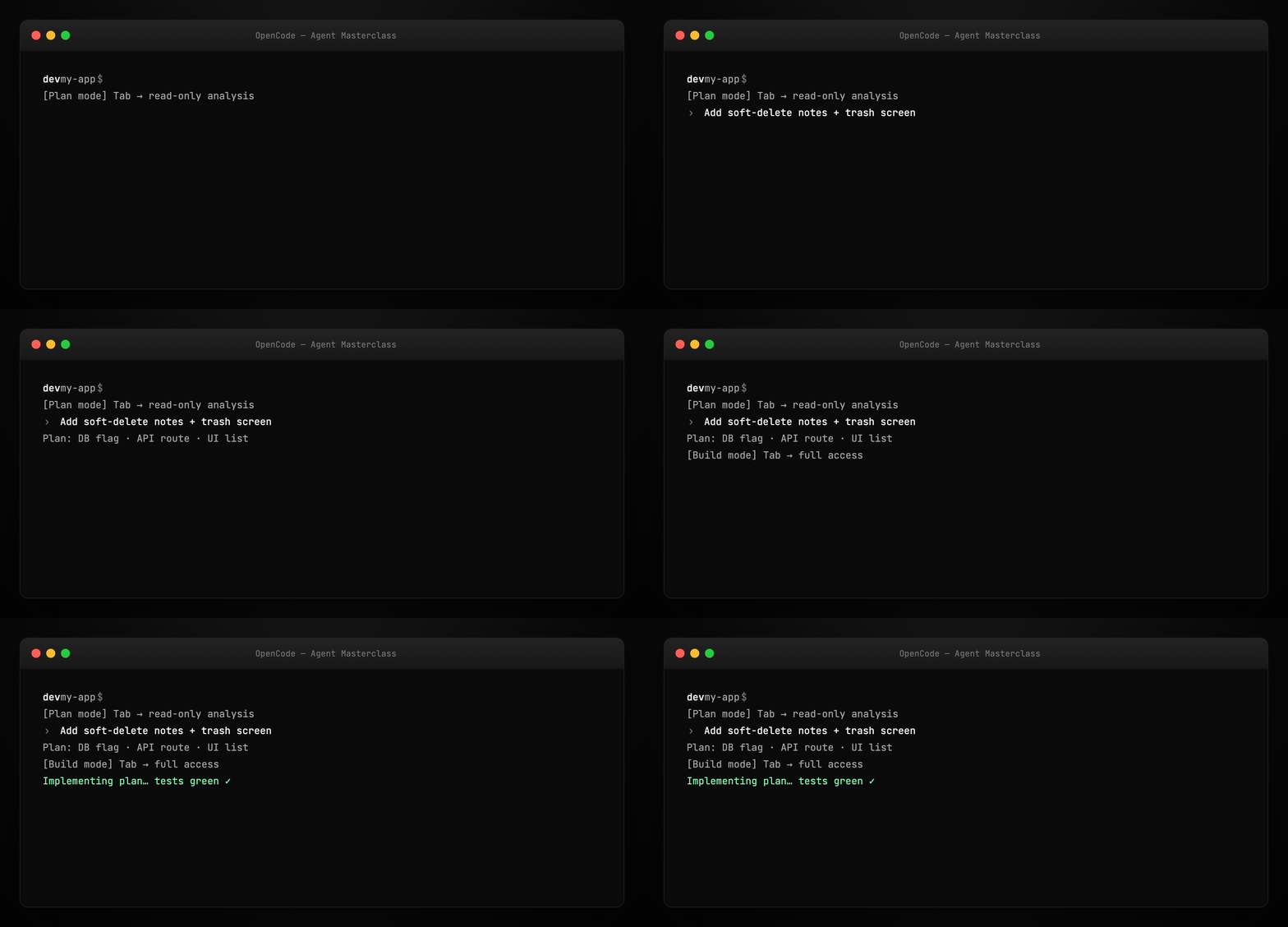
OpenCode ships two first-class agents — switch with Tab:
| Agent | Mode | Best for |
|---|---|---|
| build | Full access — edits, bash, tools | Implementing features, refactors, fixes |
| plan | Read-only — no file edits; bash asks permission | Exploring unfamiliar code, designing before coding |
Workflow OpenCode recommends:
- Switch to Plan (
Tab) - Describe the feature in detail — talk like you would to a junior dev
- Iterate on the plan; drag-drop reference images into the terminal
- Switch to Build (
Tab) - Say: “Sounds good — go ahead and make the changes.”
Also available: @general subagent for complex multi-step search tasks (used internally; you can invoke explicitly).
Part 7 — Tools layer
Tools are the agent’s hands. OpenCode categories include:
- File operations — read, write, patch
- Search — ripgrep, glob,
@fuzzy file picker - Execution — bash with permission gates
- Web — fetch docs and references
- Code intelligence — LSP enabled — loads language servers automatically so the LLM gets symbols, diagnostics, and completions context
- Subagents —
@generaland custom agents
The harness validates tool calls, enforces permissions, and formats observations back into the loop. See Configure → Tools and Permissions.
Part 8 — Rules, permissions, and policies
Rules — project-level instructions (often markdown) that shape agent behavior beyond AGENTS.md.
Permissions — per-tool allow/deny; Plan agent defaults to stricter bash gating.
Policies — organizational guardrails when using OpenCode in teams.
This is harness safety architecture: the model proposes; the runtime permits. Aligns with Harness Engineering Part 8 hooks and ratchets — mistakes become permanent constraints.
Example rule snippet: examples/rules.example.md
Part 9 — MCP servers
OpenCode supports Model Context Protocol servers — the same standard covered in our MCP Visual Guide.
Wire MCP in OpenCode config so the agent can call external tools: databases, browsers, Stripe, vision servers, etc.
{
  "mcpServers": {
    "filesystem": {
      "command": "npx",
      "args": ["-y", "@modelcontextprotocol/server-filesystem", "/path/to/allowed"]
    }
  }
}
See examples/opencode.mcp.example.json and Configure → MCP servers.

Part 10 — Agent Skills
Agent Skills are packaged capability bundles — progressive disclosure so the context window isn’t flooded with every tool definition at startup. OpenCode loads skill front-matter when relevant.
Skills complement MCP: MCP = wire protocol to servers; Skills = curated workflows and instructions the harness injects on demand.
Docs: Configure → Agent Skills
Part 11 — Daily usage patterns
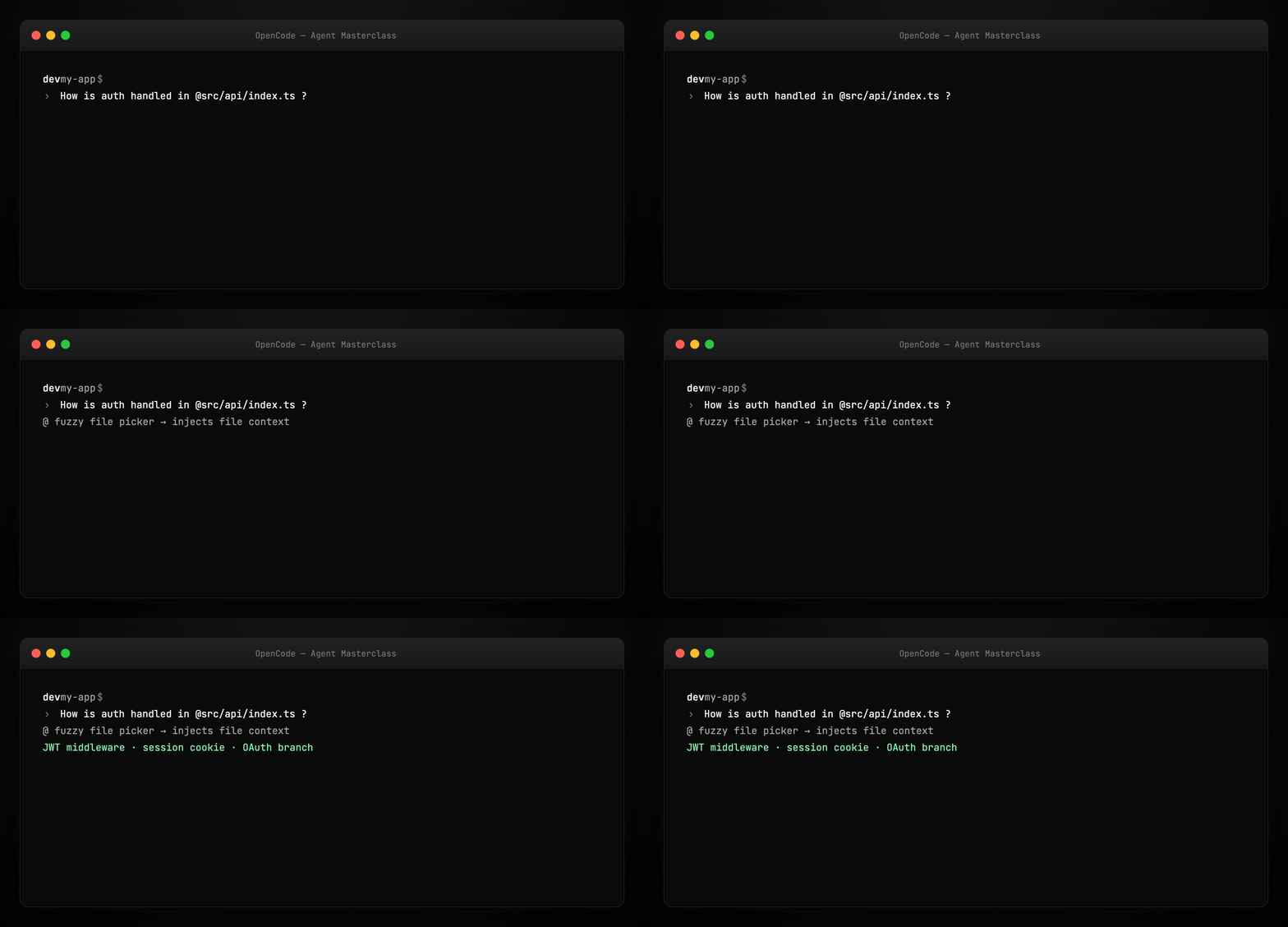
Ask questions (explore codebase)
Use @ to fuzzy-search files:
Add features (plan → build)
See Part 6. Give context, examples, and reference images (drag into terminal).
Direct changes (no plan phase)
For straightforward work:
We need auth on /settings. Mirror the pattern in @packages/functions/src/notes.ts
and apply it in @packages/functions/src/settings.ts
Images in prompts
Drag and drop PNG/JPG into the TUI — OpenCode attaches them to the prompt (useful for UI mockups).
Part 12 — Undo, redo, share
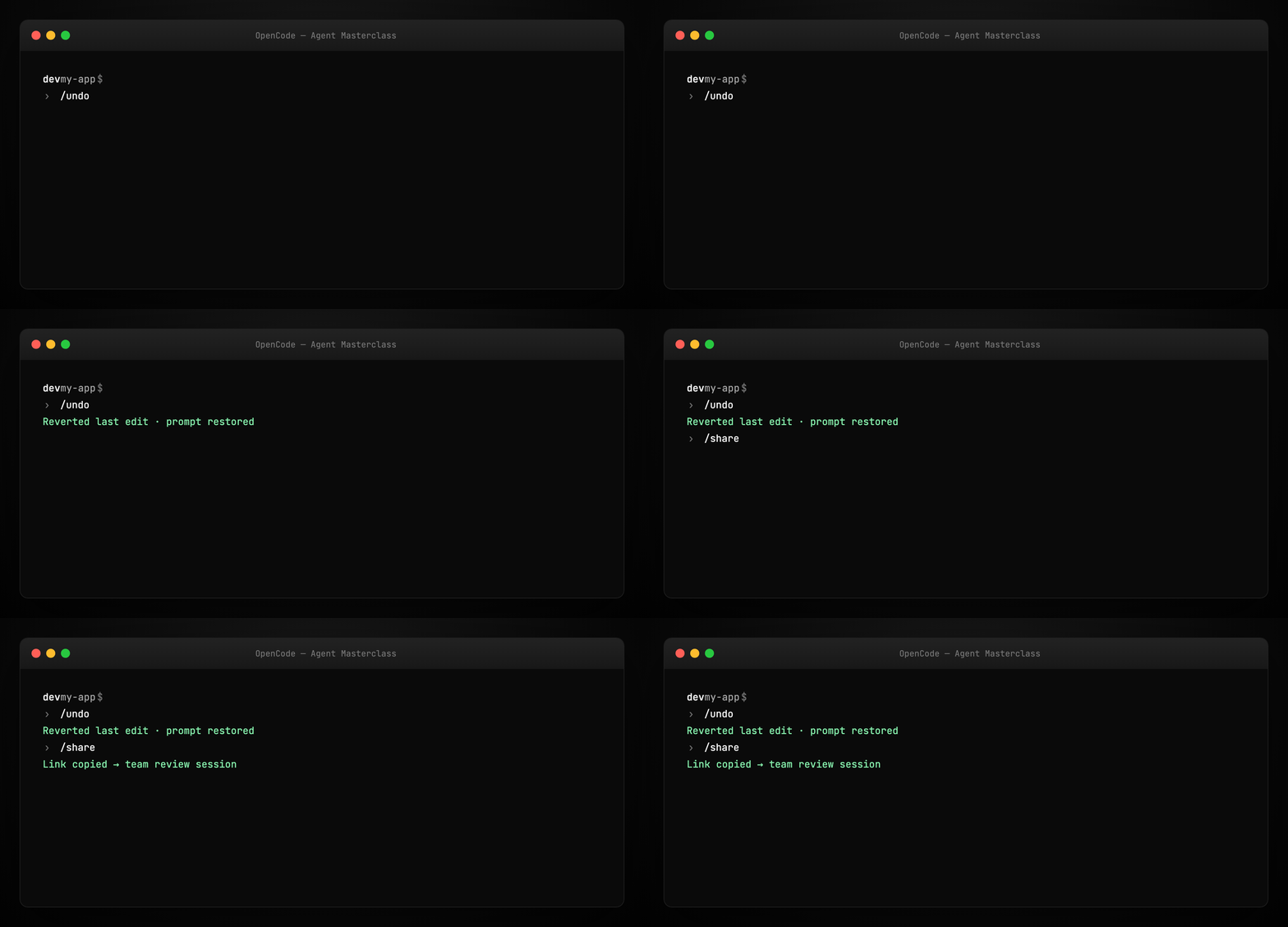
Undo a bad edit:
Restores files and returns your original message so you can refine the prompt. Run /undo multiple times for multi-step rollback.
Redo:
Share session with team:
Creates a link to the current conversation (not shared by default). Useful for debugging agent loops with teammates.
Part 13 — Multi-session and LSP
OpenCode supports multiple parallel agent sessions on the same project — each with isolated context. Great for splitting frontend/backend tasks.
LSP integration means the harness feeds semantic code intelligence to the model without you manually pasting types and diagnostics. This is a major differentiator vs raw chat UIs.
Part 14 — Surfaces beyond the terminal
| Surface | Use case |
|---|---|
| TUI | Primary power-user interface |
| Desktop | GUI for those who prefer windows over terminals |
| IDE extension | Code-adjacent agent in VS Code / compatible editors |
| Web | Documented under Usage → Web |
The same harness runs behind each surface — models feel consistent because the tool layer is shared (Codex parallel: one harness, many clients).
Part 15 — SDK, Server, and Plugins
For builders extending OpenCode:
- SDK — programmatic access to the agent harness
- Server — run OpenCode as a service other clients attach to
- Plugins — extend behavior without forking core
- Ecosystem — community projects (docs)
If you ship a derivative project, OpenCode asks you to clarify in README that it is not official — see upstream CONTRIBUTING.
Part 16 — OpenCode in the agent landscape
vs Claude Code: Both are coding harnesses. Claude Code is Anthropic-native with deep IDE integration; OpenCode is provider-neutral and terminal-first with open source transparency.
vs OpenClaw: OpenClaw is a personal assistant gateway (Telegram, WhatsApp, cron). OpenCode is a repo coding agent. Many teams use both — OpenClaw for life ops, OpenCode for shipping code. See OpenClaw masterclass.
vs ZeroClaw: ZeroClaw is a Rust multi-channel runtime with security policy and hardware hooks. OpenCode optimizes for developer UX in git repos. See ZeroClaw masterclass.
Harness link: OpenCode embodies Harness Engineering — AGENTS.md, permissions, verification via LSP/tests, scoped Plan mode.
Part 17 — Troubleshooting
| Symptom | Fix |
|---|---|
opencode: command not found |
Re-run install; check $PATH includes ~/.opencode/bin |
| Provider errors | Re-run /connect; verify API key billing |
| Agent edits wrong files | Strengthen AGENTS.md; add rules; use Plan first |
| Context feels stale | Re-run /init after major restructure |
| Old version bugs | Remove pre-0.1.x installs before upgrading (upstream note) |
Part 18 — Hands-on checklist
curl -fsSL https://opencode.ai/install | bash
cd your-repo && opencode
/connect
/init && git add AGENTS.md && git commit -m "Add OpenCode AGENTS.md"
# Tab → Plan → describe feature → Tab → Build → implement
/share    # optional — link for teammate
Regenerate visuals
cd guides/opencode-agent-masterclass/assets
python3 render_gifs.py all
python3 render_blog_poster.py
cd ../../..
./scripts/prepare-docs.sh
Further reading
Summary
OpenCode is a production-grade coding agent harness: provider-flexible, LSP-aware, MCP-ready, with Plan/Build agent modes and first-class AGENTS.md initialization. Install once, /connect, /init, and treat the TUI as mission control for your repo — not a chat sidebar.
The model writes the code. The harness decides what it’s allowed to touch, what it sees, and when “done” means done.