Skip to content

Overview

Anatomy of the .claude/ folder{ width="100%" }

flowchart TB
    subgraph project["Project root (commit to git)"]
        CM[CLAUDE.md]
        subgraph dotclaude[".claude/"]
            SJ[settings.json]
            RL[rules/*.md]
            SK[skills/*/SKILL.md]
            AG[agents/*.md]
            CMD[commands/*.md legacy]
        end
    end
    subgraph local["Personal (gitignored)"]
        CML[CLAUDE.local.md]
        SLJ[settings.local.json]
    end
    subgraph global["~/.claude/ (all projects)"]
        GCM[CLAUDE.md]
        GSK[skills · agents · rules]
    end
    CM --> Claude[Claude Code session]
    dotclaude --> Claude
    local --> Claude
    global --> Claude
Piece Path Commit? Role
Team memory CLAUDE.md Loaded every session — stack, workflow, conventions
Personal memory CLAUDE.local.md Your overrides on top of team instructions
Permissions .claude/settings.json Allow/deny tools, env vars, hooks
Personal permissions .claude/settings.local.json Extra allows (Docker, web, etc.)
Rules .claude/rules/*.md Modular instructions; can be path-scoped
Skills .claude/skills/*/SKILL.md /name workflows; can auto-invoke
Commands .claude/commands/*.md Legacy single-file skills (still works)
Agents .claude/agents/*.md Isolated subagent personas with own tools

Official reference: Explore the .claude directory.

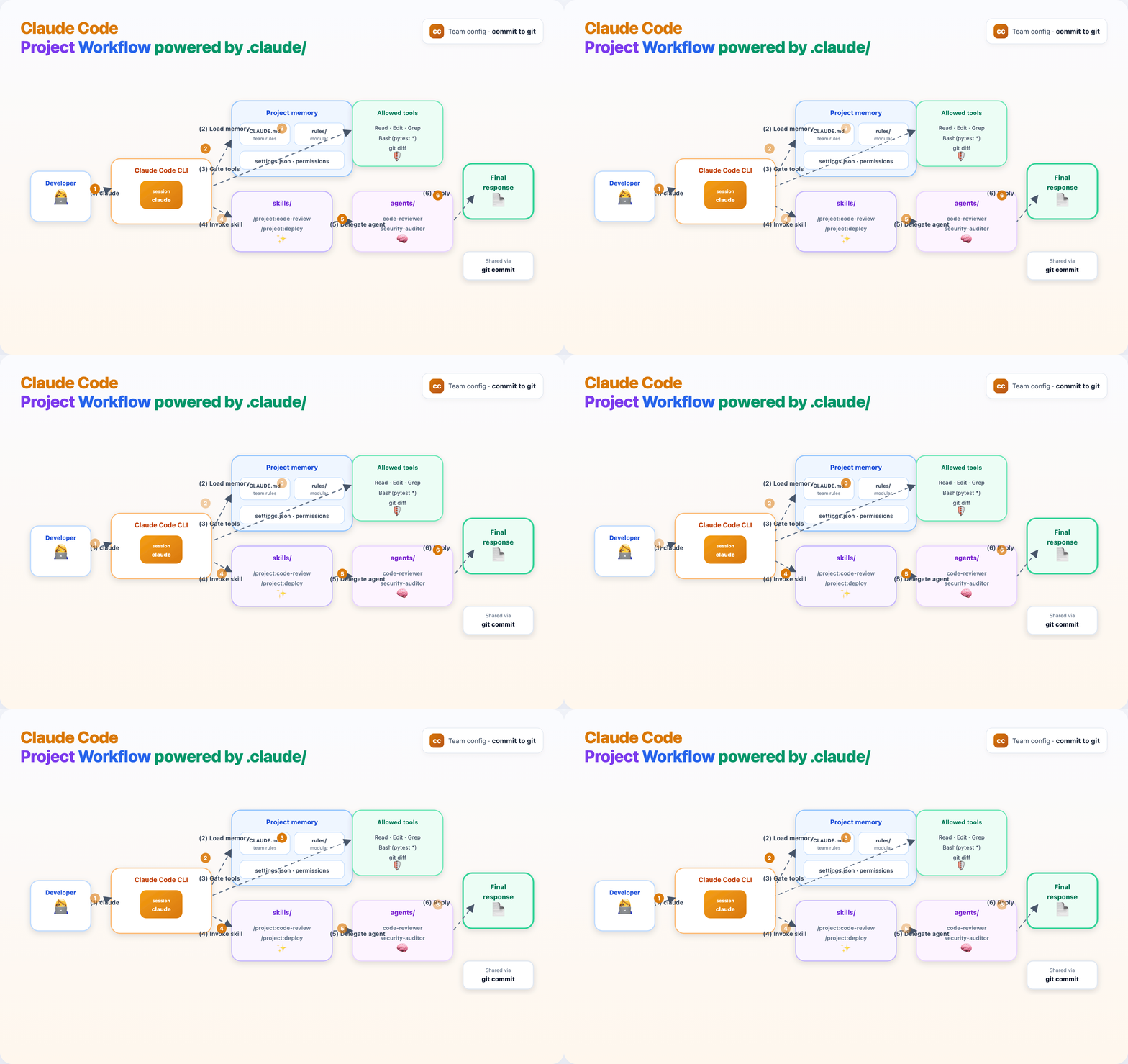
  1. Developer starts claude in the project
  2. CLAUDE.md, rules/, and settings.json load into the session
  3. Permissions gate which tools can run
  4. Claude invokes a skill (/project:code-review) or agent (isolated context)
  5. Answer returns in the terminal

Claude Code project workflow{ width="100%" }

cd guides/claude-code-dot-claude
chmod +x install-template.sh
./install-template.sh /path/to/your-project
cd /path/to/your-project
claude

Inside Claude Code:

/init                    # optional: bootstrap CLAUDE.md from your repo
/project:code-review     # skill from template
/agents code-reviewer    # delegate review to subagent

What's in this guide

Path Purpose
TUTORIAL.md Full step-by-step walkthrough
template/ Copy-paste .claude/ layout with working examples
install-template.sh Install template into any project directory
assets/claude-folder-anatomy.{html,gif,png} Hand-drawn anatomy diagram source + renders
assets/claude-code-workflow.{html,gif,png} Qwen-style session workflow source + renders
assets/render_diagrams.py Regenerate PNG/GIF from HTML

Read the full tutorial →{ .md-button .md-button--primary }