Ollama Small Models — Full Tutorial
Everything you need to pick, pull, and run the best local models on an 8 GB or 16 GB laptop — with terminal GIFs for every step from ollama.com/search.
Official: ollama.com · Model library: ollama.com/search · GitHub: github.com/ollama/ollama
This guide matches our MiniCPM-V Benchmark and agent masterclasses: prose and lists, plus diagram and terminal GIFs at 1200×600.
Media assets (copy for Medium)
| Asset | URL |
|---|---|
| Mega overview | https://ayush7614.github.io/agentic-ai-ecosystem/guides/ollama-small-models/assets/mega-ollama-small-models.gif |
| RAM tiers | https://ayush7614.github.io/agentic-ai-ecosystem/guides/ollama-small-models/assets/diagram-ram-tiers.gif |
| Task picker | https://ayush7614.github.io/agentic-ai-ecosystem/guides/ollama-small-models/assets/diagram-task-picker.gif |
| Model families | https://ayush7614.github.io/agentic-ai-ecosystem/guides/ollama-small-models/assets/diagram-model-families.gif |
| Pull → run workflow | https://ayush7614.github.io/agentic-ai-ecosystem/guides/ollama-small-models/assets/diagram-pull-run-workflow.gif |
| Blog poster | https://ayush7614.github.io/agentic-ai-ecosystem/guides/ollama-small-models/assets/blog-poster-1200x600.png |
What you'll have at the end
- Ollama installed and verified on macOS / Linux / Windows
- A curated model set for your RAM tier (8 GB or 16 GB)
- GIF-backed workflows: pull, run, generate response, embed, list/ps
- Task-specific picks for chat, coding, vision, RAG, and agent harnesses
- API snippets to wire models into OpenClaw, PicoClaw, Cursor, and MCP servers
Introduction — why small models on small laptops?
Cloud APIs are great until you need privacy, offline work, zero per-token cost, or agent loops that call a model dozens of times per task. Ollama makes local inference one command: download a quantized GGUF, run it, expose a OpenAI-compatible API on localhost:11434.
The trap: disk size on ollama.com ≠ RAM at inference. A 7 GB Gemma weights file might use ~5–8 GB RAM when loaded — fine on 16 GB, painful on 8 GB with Chrome open.
This guide picks models that actually run on:
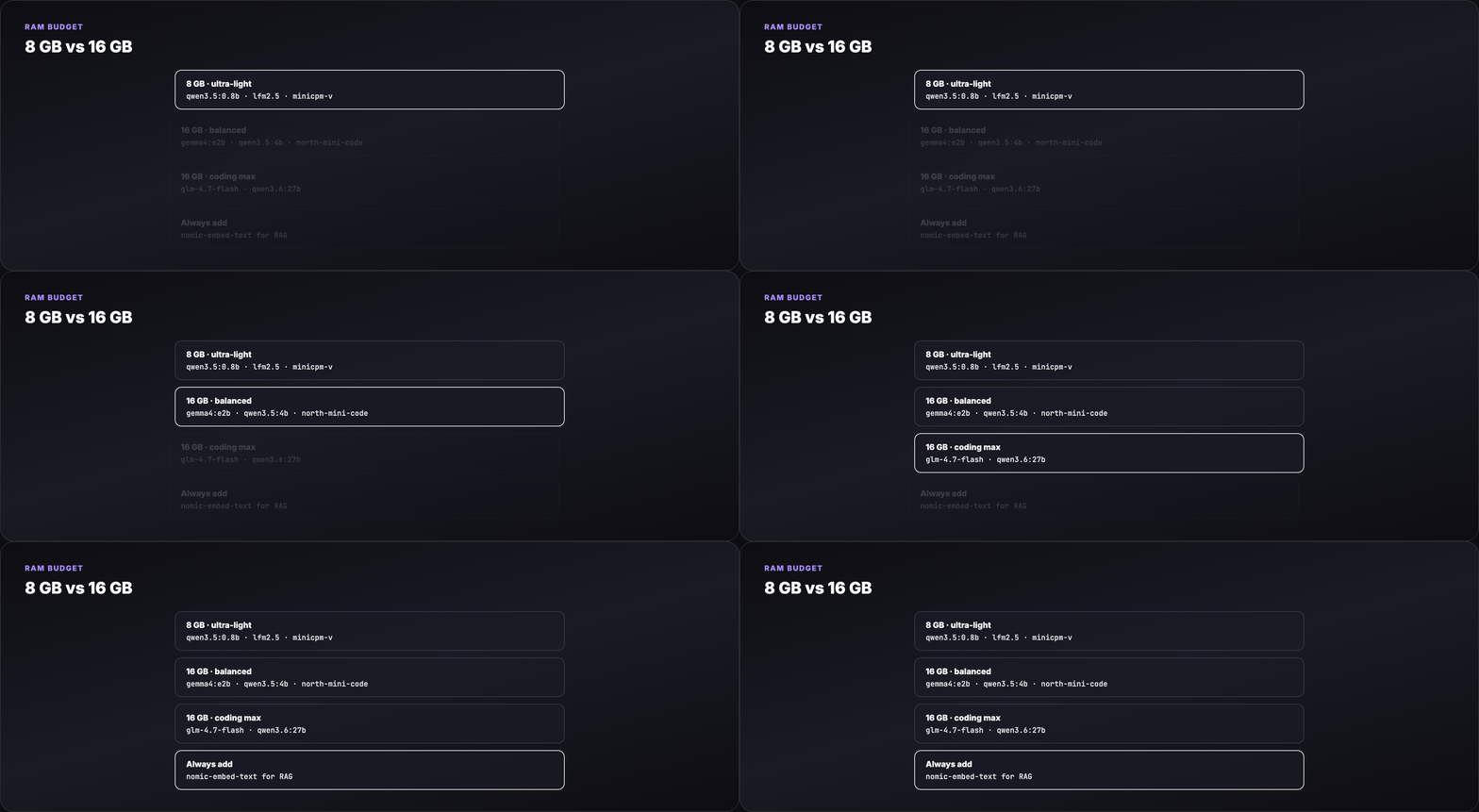
| Laptop RAM | Comfortable context | Strategy |
|---|---|---|
| 8 GB | 2K–4K tokens | Sub-2B chat, embeddings, tiny vision |
| 16 GB | 4K–8K tokens | 2–9B chat/vision, 30B MoE with 3B active, coding specialists |
Part 1 — Install Ollama
macOS / Linux
Windows
Download the installer from ollama.com/download.
Verify the daemon
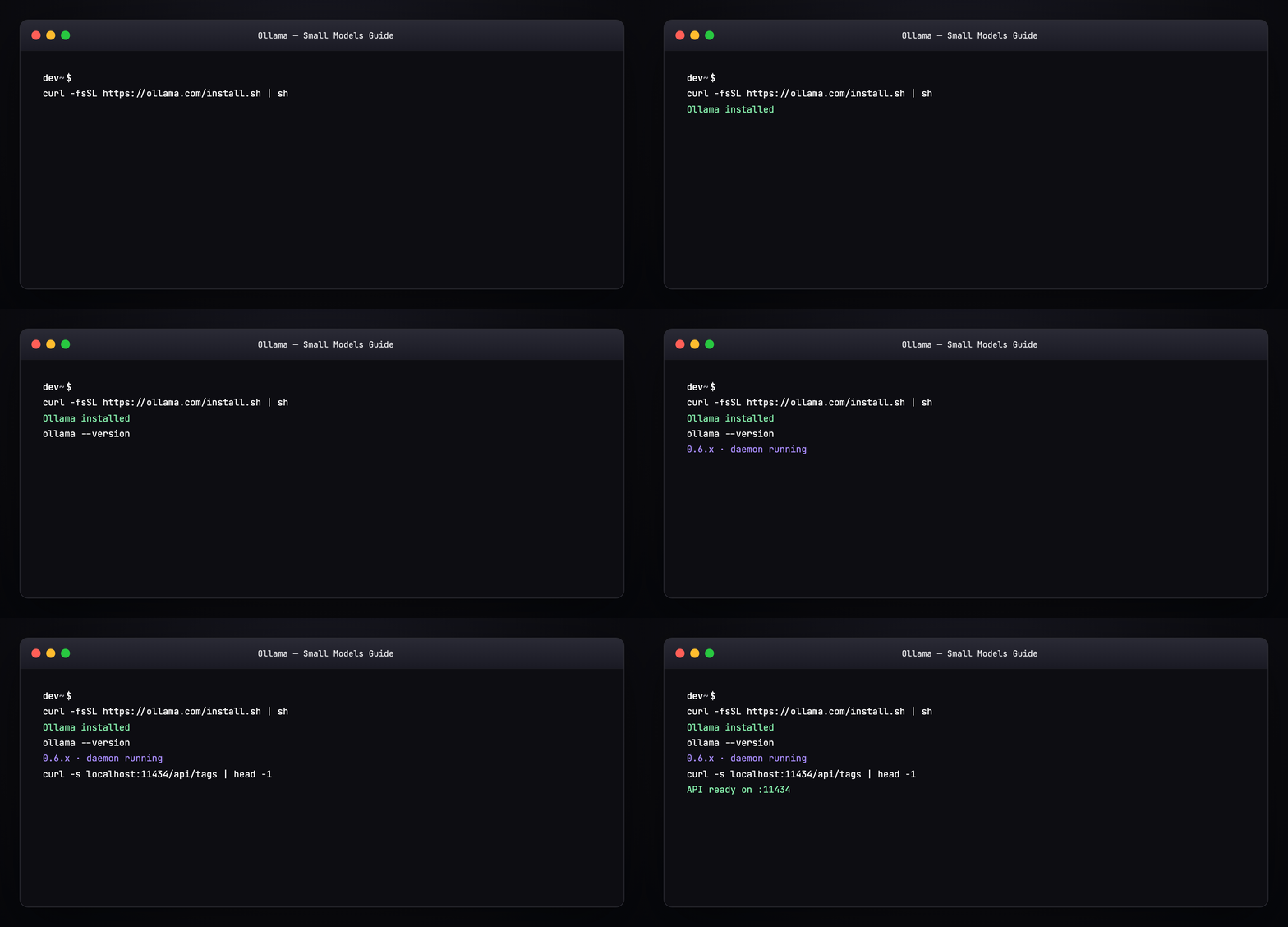
Ollama runs a background service. Models live in ~/.ollama/models/ (override with OLLAMA_MODELS).
Part 2 — The pull → run → respond workflow
Every model follows the same lifecycle:
flowchart LR
  A[ollama pull tag] --> B[weights cached locally]
  B --> C[ollama run tag]
  C --> D[streaming tokens in terminal]
  D --> E[POST /api/chat REST]
E --> F[Agents · OpenClaw · MCP]| Command | What it does |
|---|---|
ollama pull <tag> |
Download quantized weights (resume-friendly) |
ollama run <tag> |
Interactive REPL with streaming |
ollama run <tag> "prompt" |
One-shot generation |
ollama list |
Installed models + sizes |
ollama ps |
Currently loaded models + RAM |
ollama rm <tag> |
Free disk space |

Part 3 — Task picker (what model for what job?)
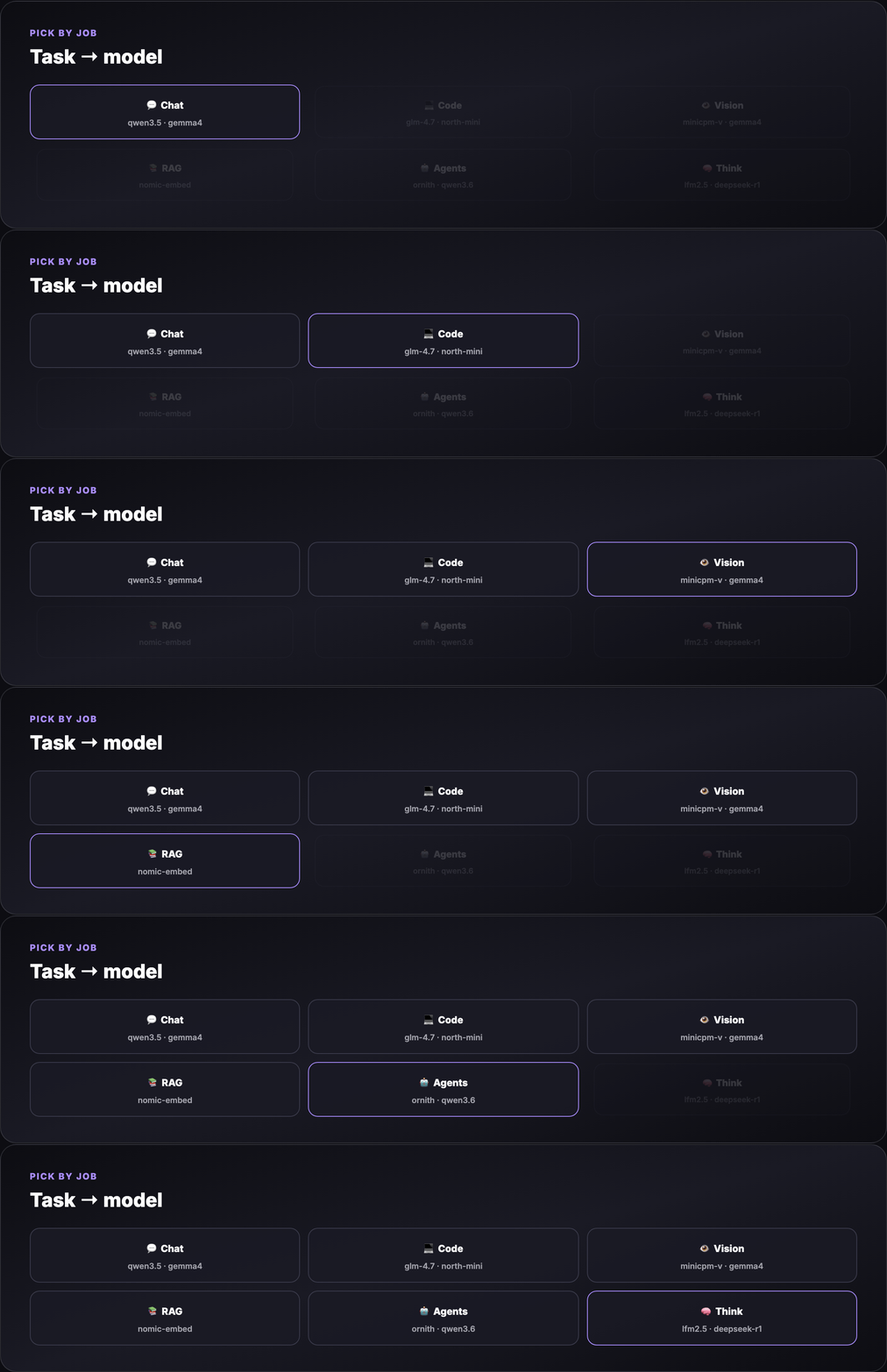
| Task | Best small-model picks | Ollama tag examples |
|---|---|---|
| Fast chat / notes | Sub-1B text | qwen3.5:0.8b, lfm2.5-thinking:1.2b |
| General chat (16 GB) | 2–4B multimodal | gemma4:4b, qwen3.5:4b |
| Coding / agents | Code-tuned, tool-ready | glm-4.7-flash, north-mini-code-1.0, qwen3.6:27b* |
| Vision / OCR / photos | Lightweight VLMs | minicpm-v4.6, gemma4:e2b, glm-ocr |
| RAG embeddings | Embedding models | nomic-embed-text, mxbai-embed-large |
| Reasoning / thinking | Thinking tags | lfm2.5-thinking:1.2b, deepseek-r1:1.5b |
* qwen3.6:27b needs 16 GB+ and patience; use qwen3.5:4b on tighter RAM.
Part 4 — 8 GB laptop model pack
These models leave headroom for the OS, browser, and your editor.
Tier A — daily driver (text)
| Model | Pull size | RAM (approx) | Best for |
|---|---|---|---|
| Qwen 3.5 0.8B | ~0.5 GB | ~1 GB | Fast chat, RAG crew text (Qwen Agentic RAG) |
| LFM2.5 Thinking 1.2B | ~0.8 GB | ~1.5 GB | On-device reasoning, hybrid architecture |
| Llama 3.2 1B | ~1.3 GB | ~1.5 GB | Reliable Meta baseline |
Tier B — vision on 8 GB (careful)
| Model | Pull size | RAM (approx) | Best for |
|---|---|---|---|
| MiniCPM-V 4.6 | ~1.6 GB | ~2–3 GB | Photo describe, OCR, MCP vision (MiniCPM-V MCP) |
| GLM-OCR | varies | ~2–4 GB | Document OCR, complex layouts |
Close heavy apps before loading vision models on 8 GB.
Tier C — embeddings (always add these)
| Model | Pull size | Use |
|---|---|---|
| nomic-embed-text | ~0.3 GB | RAG chunk indexing |
| mxbai-embed-large | ~0.7 GB | Higher-quality embeddings |
See examples/pull-8gb.sh for a one-shot install script.
Part 5 — 16 GB laptop model pack
16 GB is the sweet spot for multimodal chat + coding + one agent loop.
Tier A — general + vision
| Model | Pull size | RAM (approx) | Best for |
|---|---|---|---|
| Gemma 4 E2B | ~7 GB | ~5–8 GB | Chat + vision + tools (OpenClaw + Gemma RAG) |
| Gemma 4 4B | ~3 GB | ~3–4 GB | Lighter Gemma when E2B is tight |
| Qwen 3.5 4B | ~2.5 GB | ~3 GB | Multimodal, strong utility/size ratio |
Tier B — coding and agentic (2026 new releases)
| Model | Pull size | RAM (approx) | Best for |
|---|---|---|---|
| GLM-4.7-Flash | ~18 GB disk / ~20B class | ~12–14 GB | Strongest ~30B-class lightweight deploy |
| North Mini Code 1.0 | ~19 GB | ~8–10 GB | 30B MoE, 3B active — agentic SWE |
| Qwen 3.6 27B | ~17 GB | ~14–16 GB | Agentic coding upgrade over Qwen 3.5 |
| Ornith 9B | ~5 GB | ~6–8 GB | Self-improving agentic coding family |
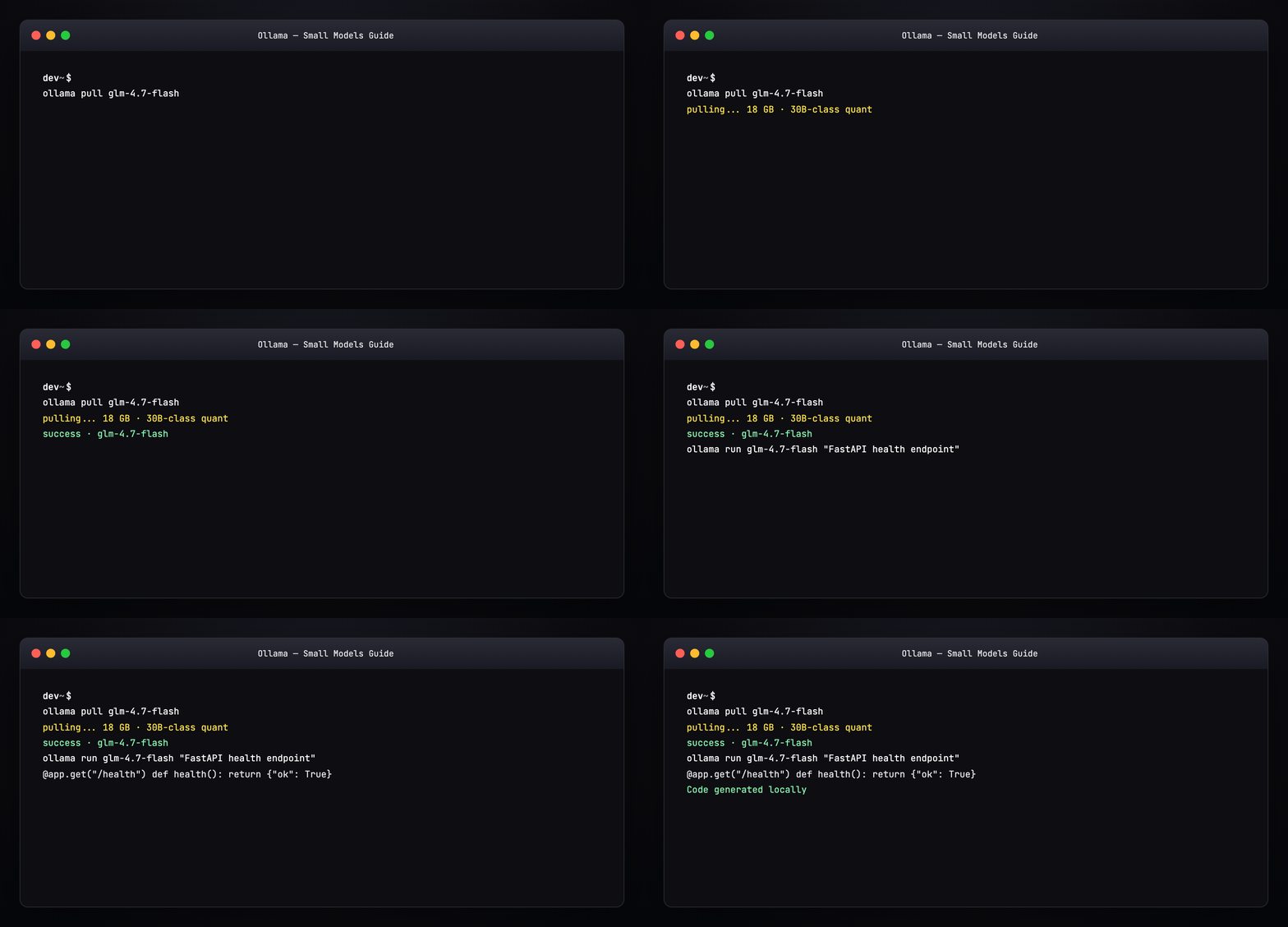
MoE note: North Mini Code activates only 3B parameters per token — you get 30B-class knowledge with smaller RAM spikes than dense 30B models.
Tier C — thinking / reasoning distillates
| Model | Pull size | Best for |
|---|---|---|
| DeepSeek R1 1.5B | ~1 GB | Chain-of-thought on 8 GB |
| DeepSeek R1 7B | ~4.7 GB | Better reasoning on 16 GB |
Part 6 — New models to watch (ollama.com/search)
The library updates weekly. As of 2026, these are the standout small-laptop entries:
| Model | Tags | Why it matters |
|---|---|---|
| Gemma 4 | e2b, 4b, 12b, 26b |
Google’s frontier-class open family — vision + tools + thinking |
| Qwen 3.5 | 0.8b–122b |
Best size ladder; multimodal at 2B+ |
| Qwen 3.6 | 27b, 35b |
Agentic coding improvements over 3.5 |
| GLM-4.7-Flash | latest | Z.ai’s 30B-class efficiency champion |
| North Mini Code | 1.0 |
Cohere’s 3B-active MoE for developers |
| LFM2 / LFM2.5 | 1.2b, 24b |
Liquid AI hybrid — built for on-device |
| MiniCPM-V 4.6 | latest | Smallest serious vision model in our stack |
| Ornith | 9b, 35b |
Agentic coding, self-improving family |
| Translategemma | 4b, 12b |
55-language translation on Gemma 3 base |

Always check the model page for parameter count, quantization (Q4_K_M vs Q8), and vision/tools/thinking badges before pulling.
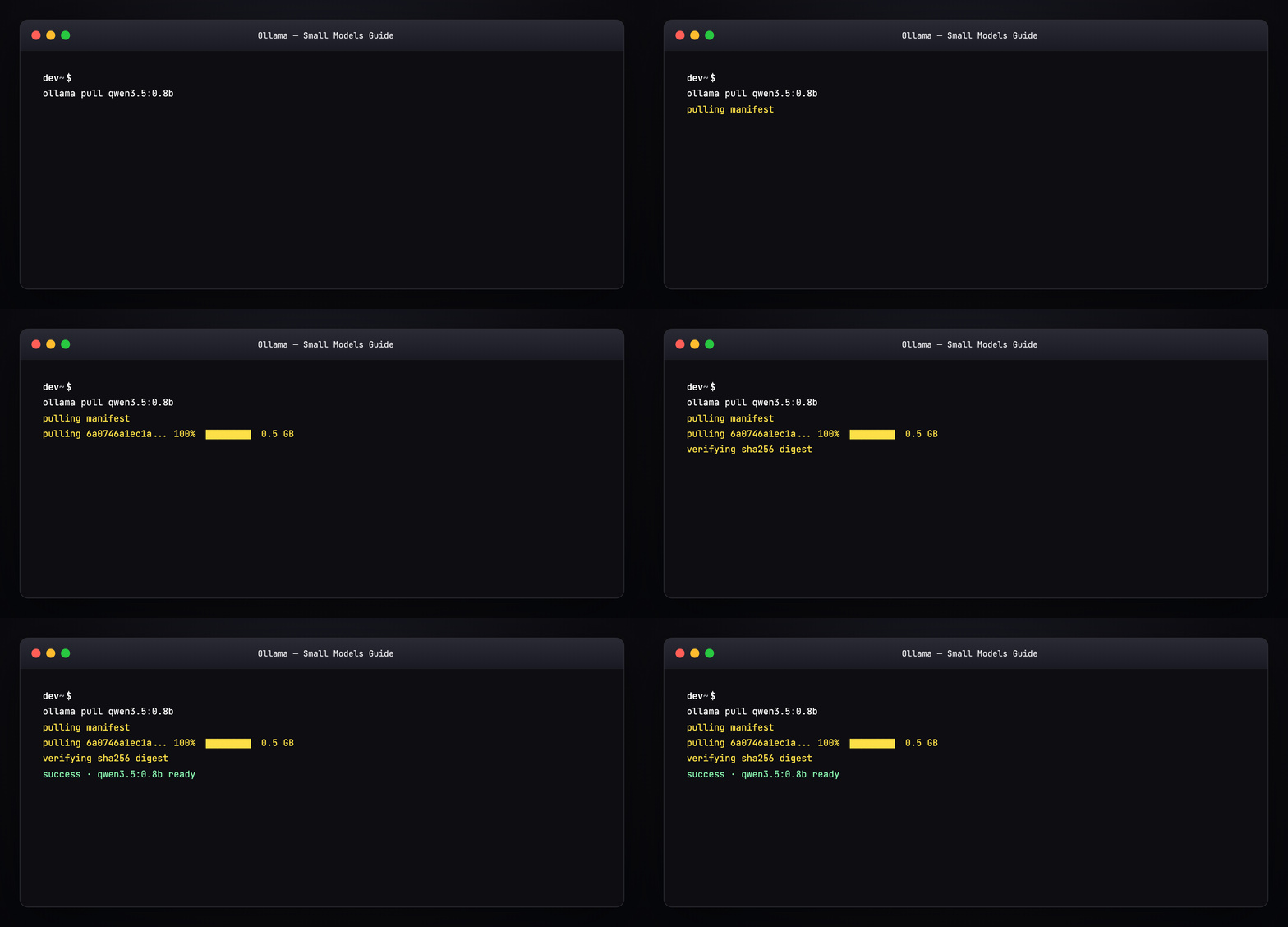
Part 7 — Pull a model (terminal walkthrough)
Expected output pattern:
Resume works — interrupted pulls continue where they left off.
Bulk pull for 16 GB: examples/pull-16gb.sh
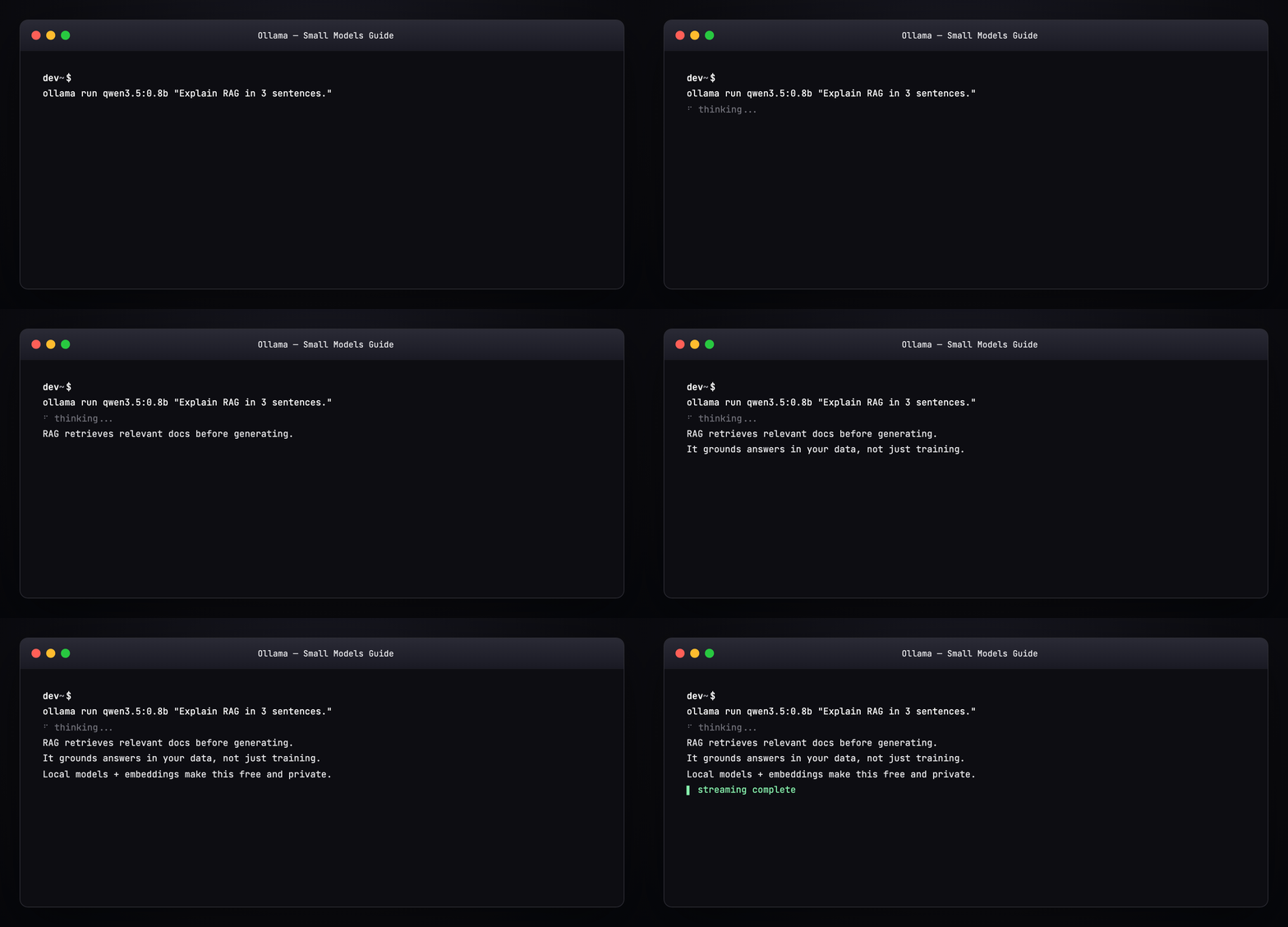
Part 8 — Run and generate a response
Interactive REPL
Streaming tokens appear live. /bye exits.
One-shot
With system prompt (Modelfile)
Create examples/Modelfile.coder:
FROM qwen3.5:4b
SYSTEM You are a concise senior engineer. Output code first, then one-line explanation.
PARAMETER temperature 0.2
ollama create my-coder -f examples/Modelfile.coder
ollama run my-coder "FastAPI health check endpoint"
Part 9 — Vision models (images locally)
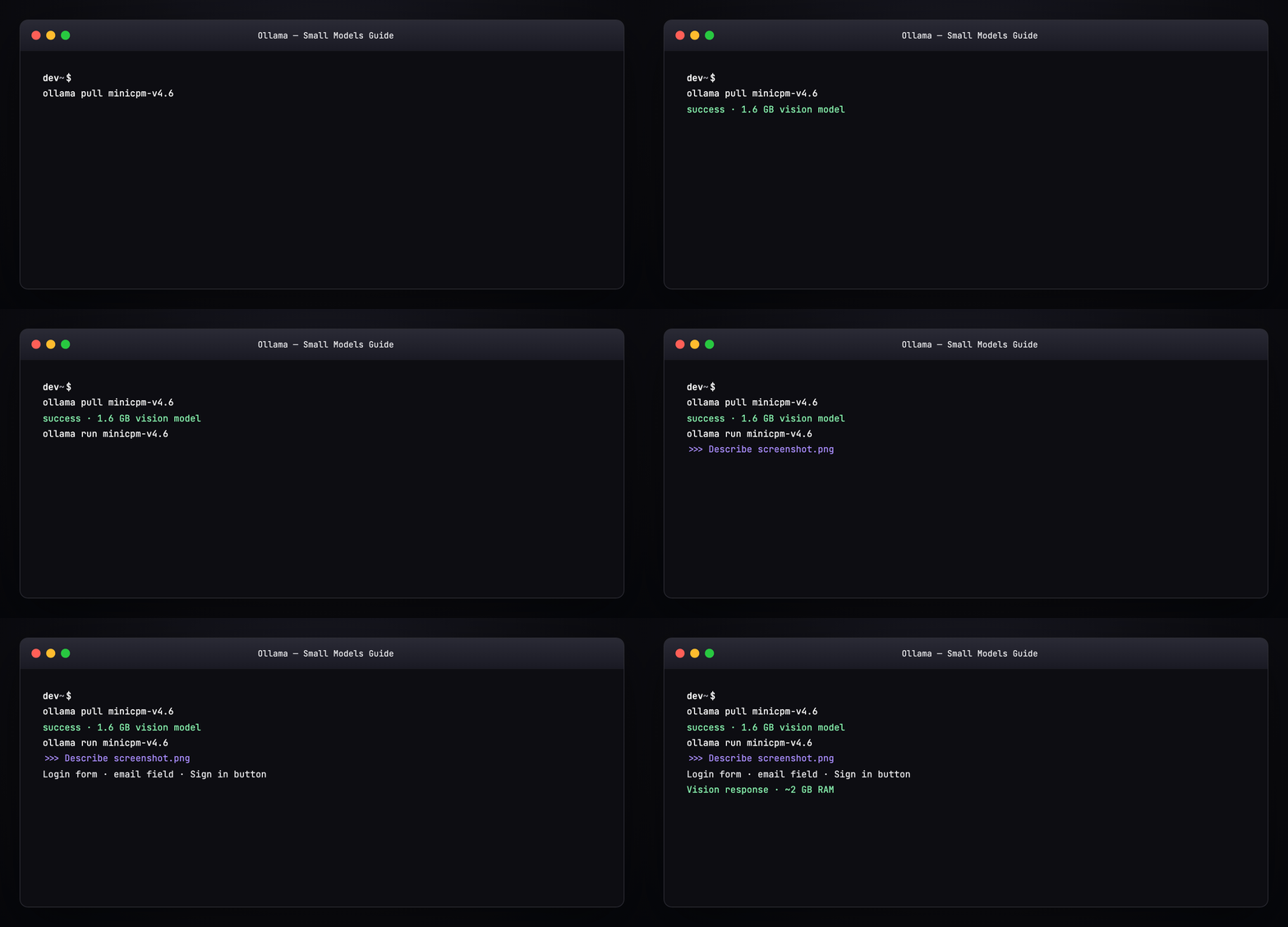
MiniCPM-V 4.6 (8 GB friendly)
ollama pull minicpm-v4.6
ollama run minicpm-v4.6
>>> What text is visible in this image? /path/to/screenshot.png
Benchmark numbers vs Gemma4-E2B: MiniCPM-V Benchmark.
Gemma 4 E2B (16 GB sweet spot)
ollama pull gemma4:e2b
ollama run gemma4:e2b
>>> Describe this UI mockup and list accessibility issues. ./mockup.png
Part 10 — Embeddings for RAG
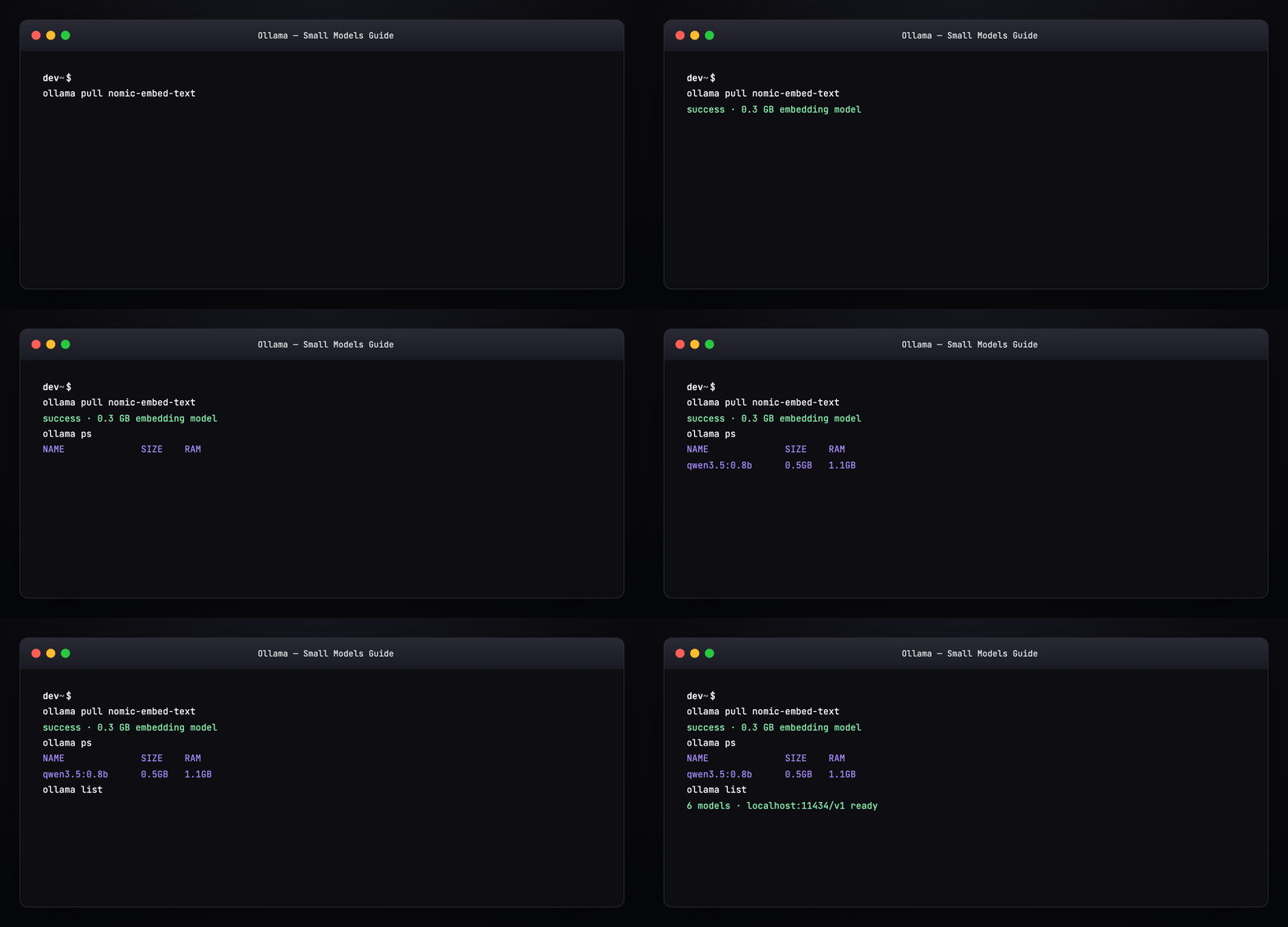
ollama pull nomic-embed-text
curl http://localhost:11434/api/embeddings -d '{
  "model": "nomic-embed-text",
  "prompt": "Local LLM guide for 8GB laptops"
}'
Wire into:
- Qwen Agentic RAG —
qwen3.5:0.8b+ Chroma - OpenClaw + Gemma RAG —
gemma4:e2b+ vector store
Part 11 — REST API (OpenAI-compatible)
Ollama exposes /v1/chat/completions for drop-in SDK use:
curl http://localhost:11434/v1/chat/completions -d '{
  "model": "qwen3.5:0.8b",
  "messages": [{"role": "user", "content": "Hello from the API"}],
  "stream": false
}'
Environment variables agents expect:
export OPENAI_API_BASE=http://localhost:11434/v1
export OPENAI_API_KEY=ollama   # any non-empty string
export OPENAI_MODEL=qwen3.5:0.8b
Part 12 — Wire into agent harnesses
| Harness | Ollama config |
|---|---|
| OpenClaw | models.providers.ollama + baseUrl: http://127.0.0.1:11434/v1 — see examples/openclaw.ollama.snippet.json5 |
| PicoClaw | model_list entry: "model": "ollama/qwen3.5:4b", "api_base": "http://localhost:11434/v1" |
| ZeroClaw | [models.ollama] in config.toml |
| Cursor / Claude Desktop | Point MCP or proxy at localhost:11434 |
Only one heavy model loaded at a time on 8–16 GB — use ollama ps and stop unused models:
Part 13 — RAM management tips
| Symptom | Fix |
|---|---|
| System swap storm | Use smaller quant or smaller model (:0.8b not :27b) |
| “model requires more memory” | Close browser tabs; ollama stop <model> |
| Slow first token | Normal cold load; keep model warm with ollama run idle |
| Disk full | ollama list → ollama rm unused tags |
| Wrong model loaded | ollama ps shows active; agents may cache model name |
Part 14 — Recommended stacks by use case
Stack 1 — “8 GB daily driver”
Chat + light vision + RAG. Used in our Qwen Agentic RAG and MiniCPM-V MCP guides.
Stack 2 — “16 GB creator laptop”
Multimodal chat, serious coding agent, embeddings — powers OpenClaw + Gemma RAG.
Stack 3 — “16 GB coding only”
Pair with OpenCode or OpenClaude pointing at localhost:11434/v1.
Part 15 — Compare: cloud vs local on small hardware
| Local Ollama | Cloud API | |
|---|---|---|
| Cost | Free after hardware | Per-token |
| Privacy | Data stays on device | Data leaves machine |
| Latency | TTFT 0.5–3s on CPU/GPU | Network dependent |
| Quality ceiling | Smaller models | Largest frontier models |
| Agent loops | Unlimited calls | Expensive at scale |
Use local for development, RAG, vision on photos, and agent prototyping. Escalate hard tasks to cloud when quality gaps show.
Part 16 — Hands-on checklist
# 1. Install
curl -fsSL https://ollama.com/install.sh | sh

# 2. Pick your tier
bash examples/pull-8gb.sh    # or pull-16gb.sh

# 3. Chat
ollama run qwen3.5:0.8b "What models fit 8GB RAM?"

# 4. Vision (if pulled)
ollama run minicpm-v4.6 "Describe this image" ./photo.jpg

# 5. API test
curl http://localhost:11434/api/tags

# 6. Monitor
ollama ps
Browse new releases weekly: ollama.com/search
Regenerate visuals
cd guides/ollama-small-models/assets
python3 render_gifs.py all
python3 render_blog_poster.py
cd ../../..
./scripts/prepare-docs.sh
Further reading
- Ollama model library · Ollama GitHub
- MiniCPM-V Benchmark
- OpenClaw + Gemma RAG
- Qwen Agentic RAG
- Harness Engineering
Summary
Small laptops can run serious AI if you match model size to RAM and task to model family. Start with Qwen 3.5 0.8B on 8 GB, add MiniCPM-V for vision, and step up to Gemma 4 and GLM-4.7-Flash on 16 GB. Pull once, run anywhere, wire into your agent harness — no cloud bill required.