OpenClaw + MiniCPM-V 4.6 — Full Tutorial
Build a photo assistant on Telegram, WhatsApp, or CLI using MiniCPM-V 4.6 — a 1.3B vision model that runs comfortably on a 16 GB Mac — with a local LitServe API and an OpenClaw vision-photo skill.
Media assets (copy for Medium)
| Asset | URL |
|---|---|
| Workflow GIF | https://ayush7614.github.io/agentic-ai-ecosystem/guides/openclaw-minicpm-v/assets/openclaw-minicpm-v-workflow.gif |
| Telegram / terminal demo | https://ayush7614.github.io/agentic-ai-ecosystem/guides/openclaw-minicpm-v/assets/step-telegram-photo.gif |
| Sample receipt | https://ayush7614.github.io/agentic-ai-ecosystem/guides/openclaw-minicpm-v/assets/sample-receipt.png |
What you end up with
- OpenClaw Gateway — always-on control plane
- minicpm-v4.6 — conversational + vision model (~1.6 GB)
- vision-photo skill —
vision_query.sh→ POST/predicton port 8002 - Structured markdown replies — summary, details, OCR text, suggested channel message
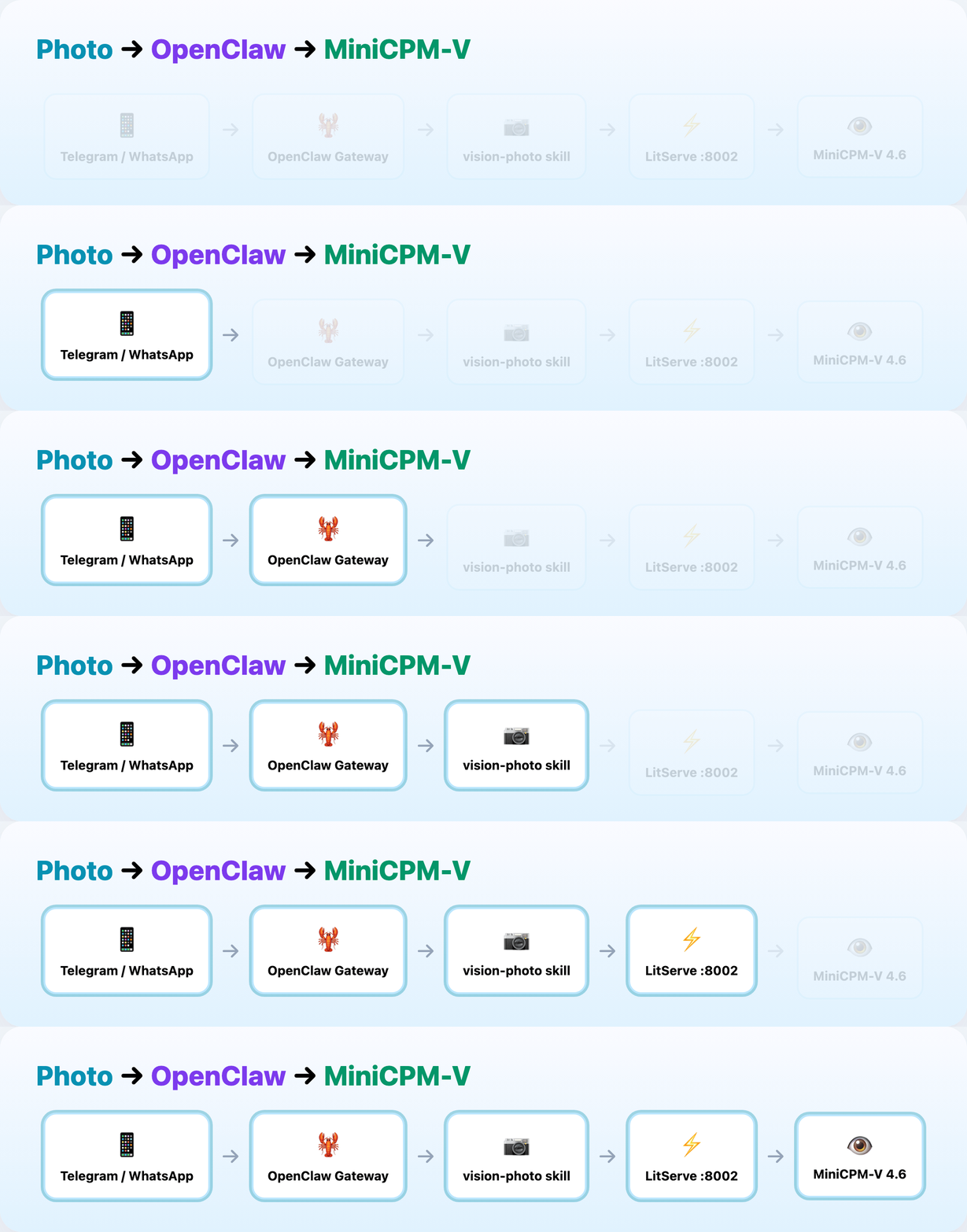
Flow:
- User sends a photo on Telegram, WhatsApp, or CLI
- MiniCPM-V 4.6 plans and invokes the vision-photo skill
- Skill POSTs to LitServe
http://127.0.0.1:8002/predict - Structured answer returns to the same channel
Prerequisites
| Requirement | Check |
|---|---|
| Node 22.12+ | node -v |
| Ollama | ollama -v |
| Python 3.10+ | python3 --version |
| curl + jq | curl --version && jq --version |
Part 1 — Pull MiniCPM-V 4.6
From Ollama:
| Tag | Size | Input |
|---|---|---|
minicpm-v4.6:latest |
1.6 GB | Text, Image |
Part 2 — Vision LitServe API
Terminal A — start the vision server:
cd guides/openclaw-minicpm-v
python -m venv .venv && source .venv/bin/activate
pip install -r requirements.txt
cp .env.example .env
python generate_sample.py
python vision_server.py
Server prints: Vision API on http://127.0.0.1:8002/predict
Request shape:
Response:
Sample image the API reads:
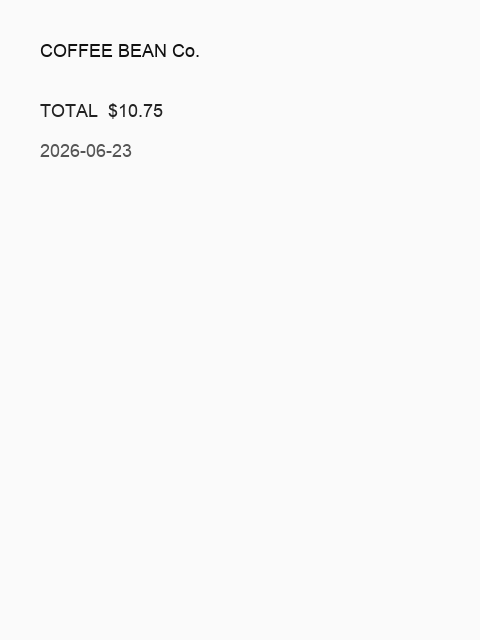
Test with client.py:
Expected sections in the output: Summary, Details, Text found, Suggested reply.
Part 3 — Install OpenClaw
Terminal B:
cd guides/openclaw-minicpm-v
source ./use-node22.sh
npm install -g openclaw@latest
openclaw onboard --install-daemon
openclaw models set ollama/minicpm-v4.6
Merge config/openclaw.snippet.json5 into
~/.openclaw/openclaw.json — sets primary model and VISION_API_URL.
Part 4 — Install vision-photo skill
chmod +x install-skill.sh skills/vision-photo/scripts/*.sh
./install-skill.sh
openclaw gateway restart
The skill tells the agent to run:
See skills/vision-photo/SKILL.md.
Part 5 — Telegram / WhatsApp
Follow OpenClaw channels docs for your platform. Keep DM pairing enabled for security.
When a user sends a photo:
- OpenClaw saves media to a local path
- Agent invokes vision-photo with path + caption
- LitServe returns structured markdown
- Agent sends Suggested reply to the channel
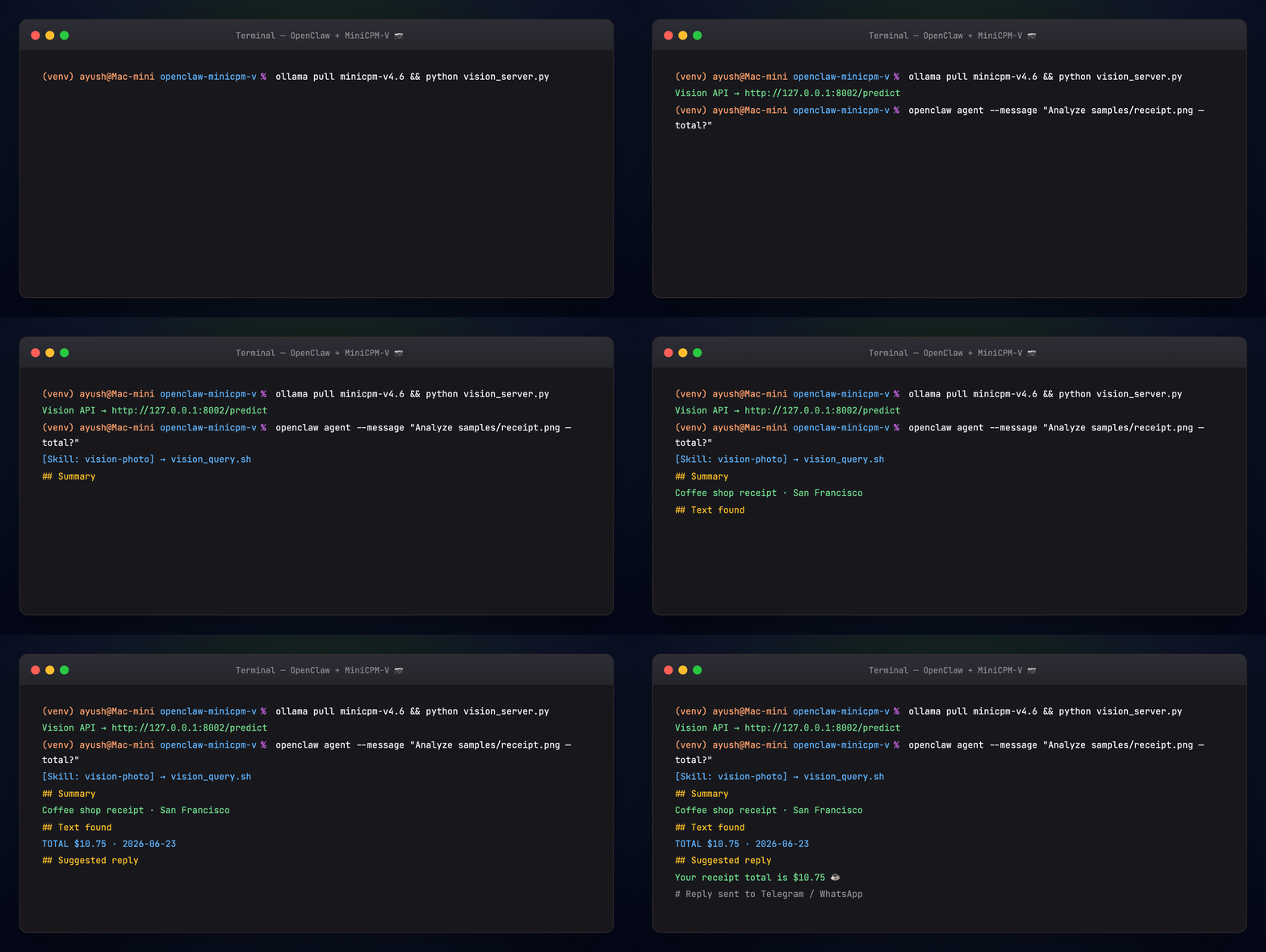
Example channel reply from the demo receipt:
Your receipt total is $10.75 ☕
Part 6 — Smoke test
Runs: Ollama check → sample image → API health → skill script query.
Troubleshooting
| Symptom | Fix |
|---|---|
Cannot reach Ollama |
Start Ollama; ollama pull minicpm-v4.6 |
| Vision API connection refused | python vision_server.py in terminal A |
| Skill not found | ./install-skill.sh + openclaw gateway restart |
| Slow first reply | Normal — model cold start |
Next steps
- MiniCPM-V MCP — same model in Cursor as MCP tools
- MiniCPM-V Benchmark — compare edge models on 16 GB Mac
- OpenClaw + Gemma + RAG — add text RAG crew alongside photos
License
Guide: MIT · MiniCPM-V: Apache-2.0