MiniCPM-V Benchmark — Full Tutorial
Reproducibly compare MiniCPM-V 4.6, Qwen3.5-0.8B, and Gemma4-E2B on your 16 GB Mac using local Ollama — the same stack as our agentic guides.
Media assets (copy for Medium)
| Asset | URL |
|---|---|
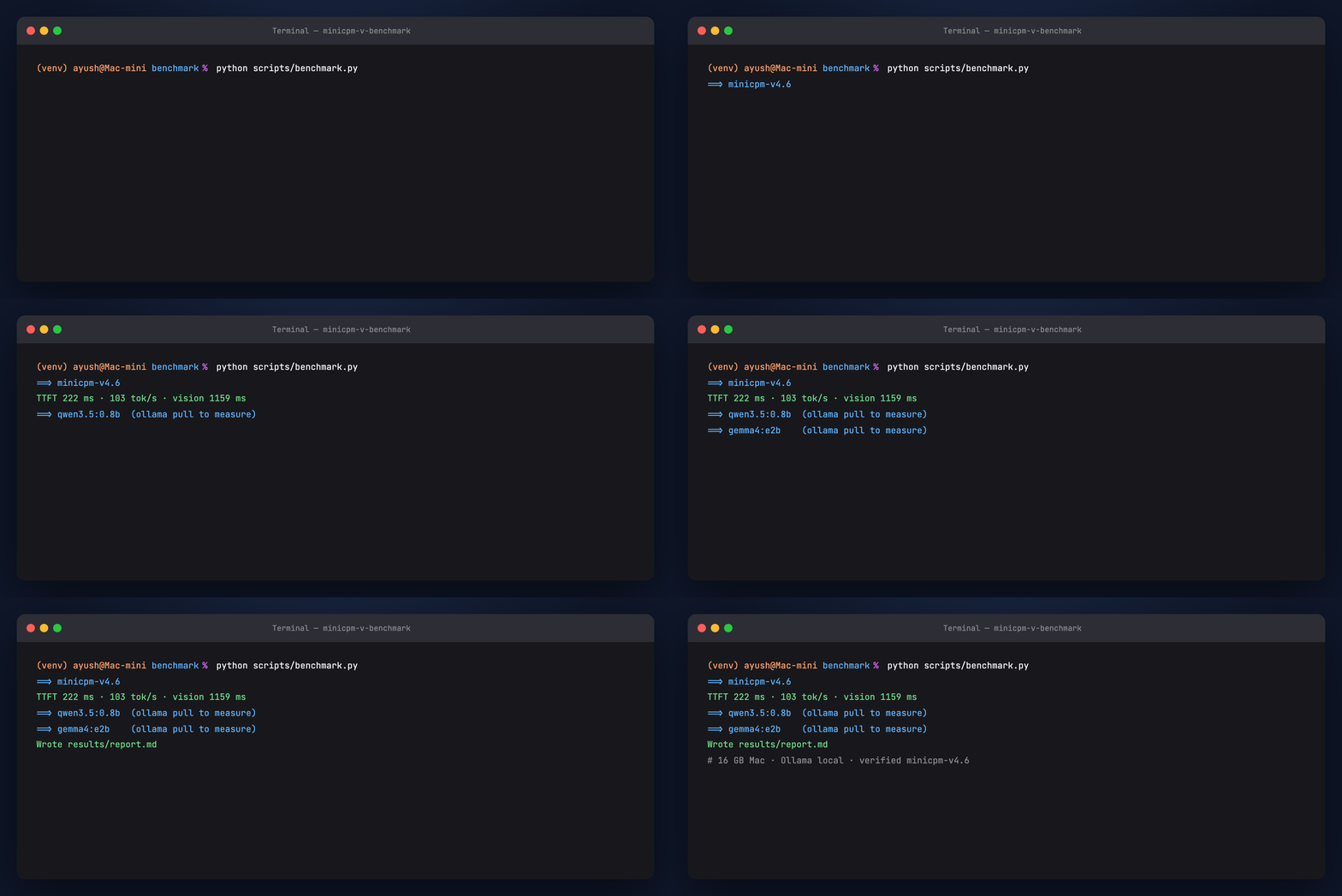
| Benchmark terminal GIF | https://ayush7614.github.io/agentic-ai-ecosystem/guides/minicpm-v-benchmark/assets/step-benchmark-run.gif |
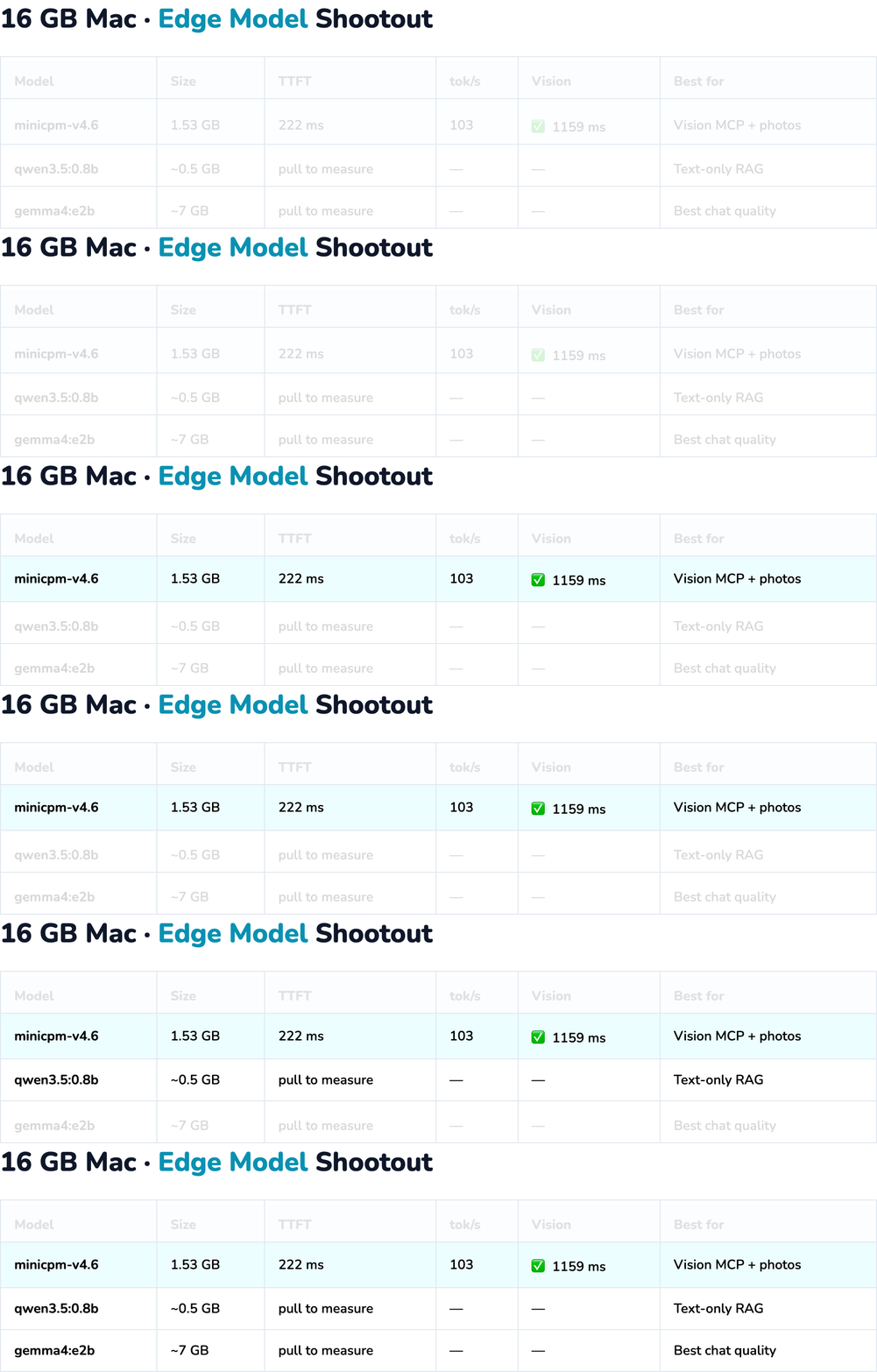
| Comparison table GIF | https://ayush7614.github.io/agentic-ai-ecosystem/guides/minicpm-v-benchmark/assets/benchmark-comparison.gif |
| Vision test card PNG | https://ayush7614.github.io/agentic-ai-ecosystem/guides/minicpm-v-benchmark/assets/benchmark_card.png |
What you'll understand
- What TTFT (time to first token) and tokens/sec mean for agent UX
- Why disk size ≠ RAM at inference time
- When MiniCPM-V's 1.6 GB vision beats Gemma's ~7 GB — and when it doesn't
- How to re-run
scripts/benchmark.pyafter model updates
Introduction — why benchmark edge models?
You already picked a stack from our guides:
- Qwen3.5-0.8B — text-only RAG (Qwen Agentic RAG)
- Gemma4-E2B — chat + vision at ~7 GB (OpenClaw + Gemma)
- MiniCPM-V 4.6 — vision at ~1.6 GB (MCP · OpenClaw photos)
This guide measures TTFT, throughput, and vision latency on your Mac so you pick with data, not marketing slides.
Part 1 — Models under test
| Ollama tag | Size | Vision | Role in ecosystem |
|---|---|---|---|
minicpm-v4.6 |
~1.6 GB | ✅ | Vision MCP + OpenClaw photos |
qwen3.5:0.8b |
~0.5 GB | ❌ | Qwen Agentic RAG crew |
gemma4:e2b |
~7 GB | ✅ | OpenClaw + RAG chat |
Part 2 — Methodology
Text benchmark
- Prompt: fixed cross-validation explainer (3 sentences)
- Streaming: Ollama
/api/chatwithstream: true - TTFT: time until first content chunk
- Throughput:
eval_count / generation_seconds
Vision benchmark
- Image:
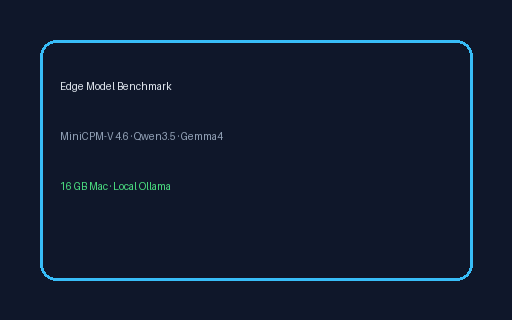
samples/benchmark_card.png(also inassets/benchmark_card.png) - Prompt: read visible text and list model names
- Latency: total non-streaming request time
- Skipped for text-only models (Qwen3.5-0.8B)
Vision test card:
Part 3 — Run the benchmark
cd guides/minicpm-v-benchmark
python -m venv .venv && source .venv/bin/activate
pip install -r requirements.txt
python generate_sample.py
python scripts/benchmark.py
Outputs:
results/benchmark.json— raw numbersresults/report.md— markdown table + text previews
Options:
python scripts/benchmark.py --models minicpm-v4.6,qwen3.5:0.8b
SKIP_PULL=0 python scripts/benchmark.py   # auto-pull missing models
Verified sample (16 GB Mac, minicpm-v4.6):
| Metric | Value |
|---|---|
| Size | 1.53 GB |
| TTFT | ~222 ms |
| Throughput | ~103 tok/s |
| Vision latency | ~1159 ms |
Re-run on your machine after pulling all three models for a full shootout.
Part 4 — Reading the results
MiniCPM-V 4.6
- Smallest model with vision in this shootout (~1.6 GB)
- Adds OCR / screenshot understanding without Gemma-scale RAM
- Official claims ~1.5× throughput vs Qwen3.5-0.8B on vision workloads — verify locally
Qwen3.5-0.8B
- Best when you need text-only agentic RAG and minimum footprint
- No vision benchmark row — use MiniCPM-V for images
Gemma4-E2B
- Strongest general chat of the three in most qualitative checks
- ~7 GB — comfortable on 16 GB Mac if you close other apps
Part 5 — Pick a stack
| Your goal | Model | Guide |
|---|---|---|
| Vision in Cursor (MCP) | minicpm-v4.6 | MCP server |
| Photos on Telegram | minicpm-v4.6 | OpenClaw + MiniCPM-V |
| Text RAG crew | qwen3.5:0.8b or gemma4:e2b | Qwen RAG |
| Best chat quality + vision | gemma4:e2b | OpenClaw + Gemma |
Hybrid pattern: Qwen or Gemma for text agents + MiniCPM-V MCP server for screenshots — only ~1.6 GB extra when vision tools run.
Troubleshooting
| Issue | Fix |
|---|---|
| Model not installed | ollama pull <tag> or SKIP_PULL=0 |
| Wildly different second run | First run warms cache; compare run 2 vs run 2 |
| Vision error on Qwen | Expected — text-only model |
Next steps
- MiniCPM-V MCP Server — vision tools in Cursor
- OpenClaw + MiniCPM-V — photo assistant on messaging
License
Guide: MIT · Model weights: respective licenses