MiniCPM-V MCP Server — Full Tutorial
Give your coding agent eyes. Instead of uploading screenshots to a cloud
vision API, you run a small MCP server backed by MiniCPM-V 4.6 on Ollama
and expose three tools — describe_image, ocr_document, compare_images — so
Cursor, Claude Desktop, and Hermes all see images the same way.
Format matches our Stripe Projects MCP and MCP Visual Guide guides: prose, runnable Python, terminal GIFs at each step, and architecture diagrams.
Media assets (copy for Medium)
Paste these full URLs into Medium if relative paths do not resolve:
| Asset | URL |
|---|---|
| Architecture GIF | https://ayush7614.github.io/agentic-ai-ecosystem/guides/minicpm-v-mcp-server/assets/diagram-capability-exchange.gif |
| Ollama pull terminal | https://ayush7614.github.io/agentic-ai-ecosystem/guides/minicpm-v-mcp-server/assets/step-ollama-minicpm.gif |
| Agent demo terminal | https://ayush7614.github.io/agentic-ai-ecosystem/guides/minicpm-v-mcp-server/assets/step-mcp-vision-demo.gif |
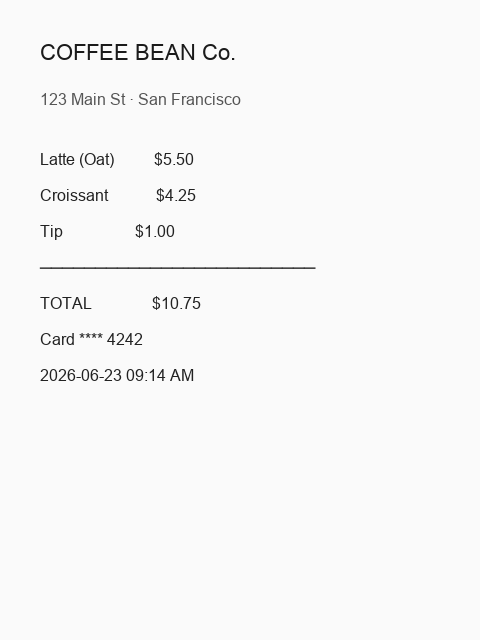
| Sample receipt | https://ayush7614.github.io/agentic-ai-ecosystem/guides/minicpm-v-mcp-server/assets/sample_receipt.png |
| Diagram v1 (before) | https://ayush7614.github.io/agentic-ai-ecosystem/guides/minicpm-v-mcp-server/assets/diagram_v1.png |
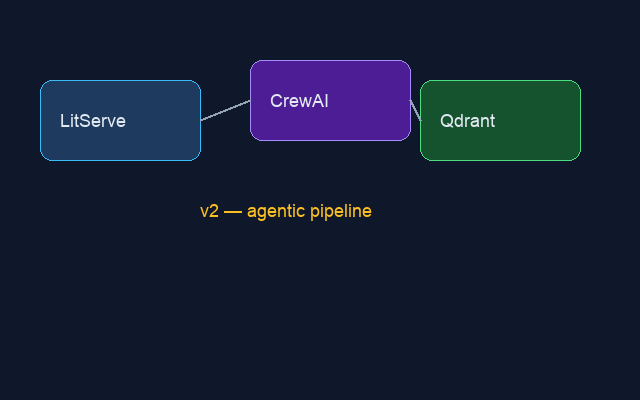
| Diagram v2 (after) | https://ayush7614.github.io/agentic-ai-ecosystem/guides/minicpm-v-mcp-server/assets/diagram_v2.png |
What you'll understand at the end
- Why vision belongs in MCP — reusable tools vs one-off
ollama runcommands - How MiniCPM-V 4.6 fits a 16 GB Mac (~1.6 GB model, text + image input)
- The three tools and when to use each
- Wiring the server into Cursor and Claude Desktop
- Running the agent demo offline (
OLLAMA_MOCK=1) or live with Ollama
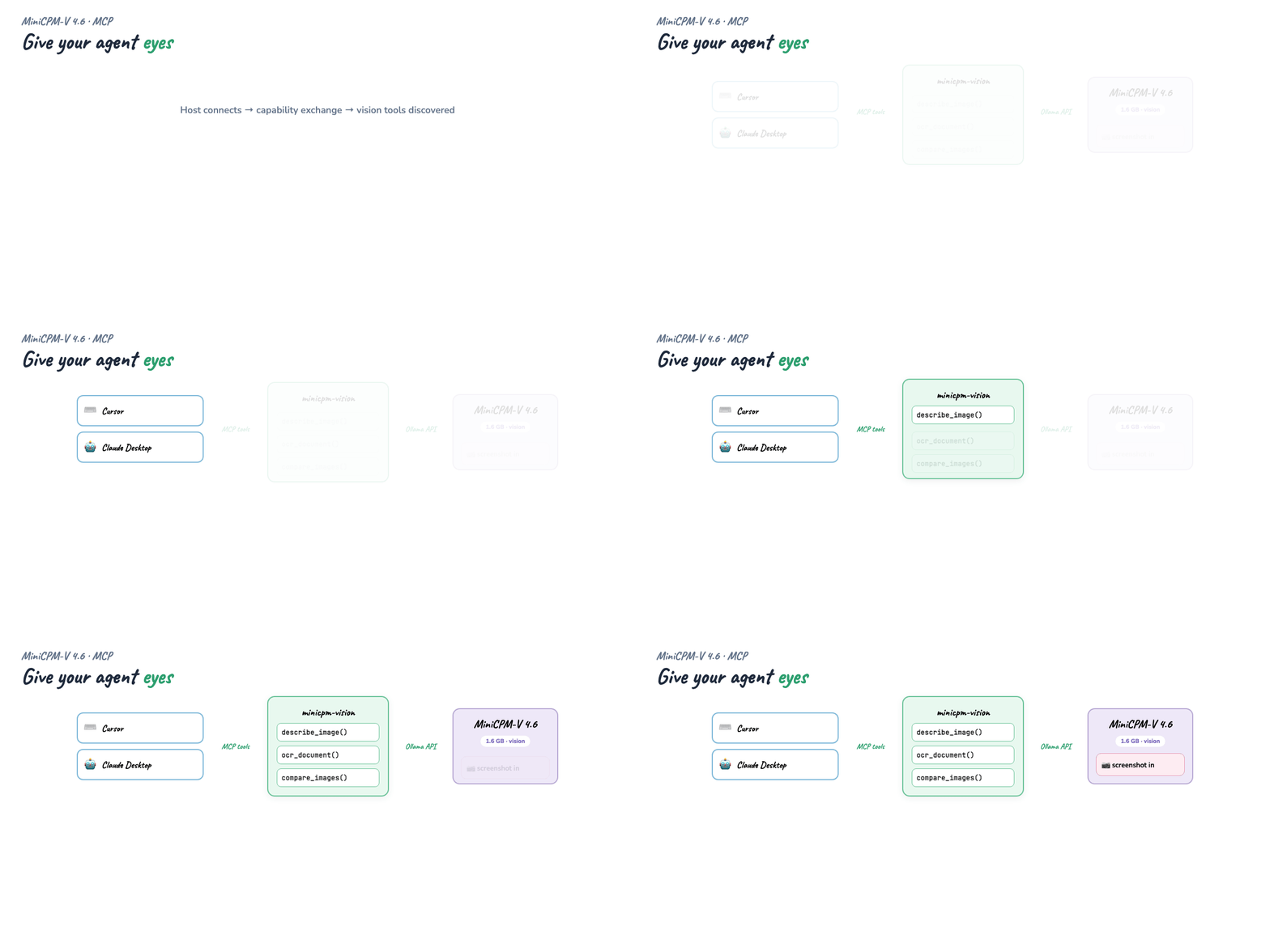
Introduction — agents without eyes
Your agent can grep code, run tests, and provision infra — but the moment someone pastes a screenshot, a receipt, or a Figma export, the loop breaks unless you bolt on a vision API. That means API keys, cloud latency, and pixels leaving your machine.
MiniCPM-V 4.6 is built for the opposite: 1.3B parameters, ~1.6 GB on disk, 256K context, and native text + image input via Ollama. Wrap it in MCP and every host discovers the same three vision tools at connect time.
Part 1 — MiniCPM-V 4.6 on Ollama
From the Ollama model page:
| Tag | Size | Context | Input |
|---|---|---|---|
minicpm-v4.6:latest |
1.6 GB | 256K | Text, Image |
minicpm-v4.6:1b |
1.6 GB | 256K | Text, Image |
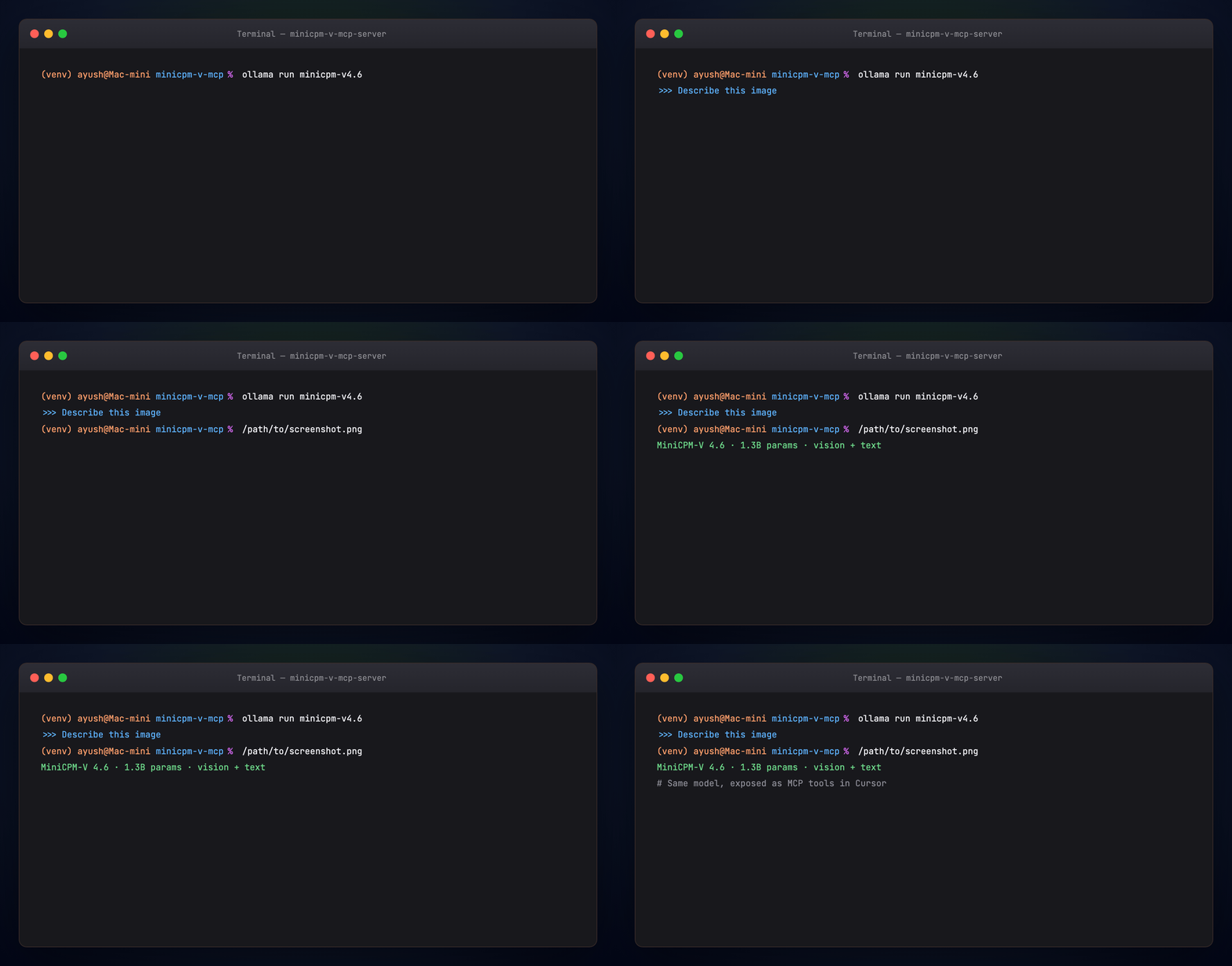
This guide uses the same model through Ollama's HTTP API so the MCP server can batch tool calls without spawning a CLI per request.
Part 2 — Why MCP for vision
You could write a Python script that calls Ollama and paste output into chat. But then Cursor, Claude Desktop, and Hermes each need their own glue.
MCP collapses that. You write one server; hosts discover tools at capability exchange. Add a fourth tool later and every host sees it on reconnect — no host-side changes.
| Role | Here |
|---|---|
| Host | Cursor / Claude Desktop / Hermes |
| Client | MCP client inside the host |
| Server | minicpm-vision — vision tools backed by Ollama |
If host/client/server isn't second nature yet, read the MCP Visual Guide first.
Part 3 — Quick start
cd guides/minicpm-v-mcp-server
python -m venv .venv && source .venv/bin/activate
pip install -r requirements.txt
cp .env.example .env

ollama pull minicpm-v4.6
python examples/generate_fixtures.py
python examples/agent_demo.py
Part 4 — The vision backend
examples/vision_backend.py encodes images as
base64 and POSTs to OLLAMA_HOST/api/chat:
payload = {
    "model": VISION_MODEL,  # minicpm-v4.6
    "messages": [{"role": "user", "content": prompt, "images": images_b64}],
    "stream": False,
}
Environment variables (see .env.example):
| Variable | Default | Purpose |
|---|---|---|
OLLAMA_HOST |
http://127.0.0.1:11434 |
Ollama base URL |
OLLAMA_VISION_MODEL |
minicpm-v4.6 |
Vision model tag |
OLLAMA_MOCK |
0 |
Set 1 for offline demo without Ollama |
Part 5 — The three tools
examples/server.py is a FastMCP server.
describe_image
General-purpose image Q&A. Pass a custom question for targeted queries.
Sample input — architecture diagram the demo describes:
ocr_document
Structured OCR prompt — markdown headings, bullet lists, tables. Ideal for receipts, invoices, and whiteboard photos.
Sample input — coffee shop receipt:
compare_images
Two paths + optional focus (e.g. "navigation bar"). Returns similarities,
differences, and UI change notes.
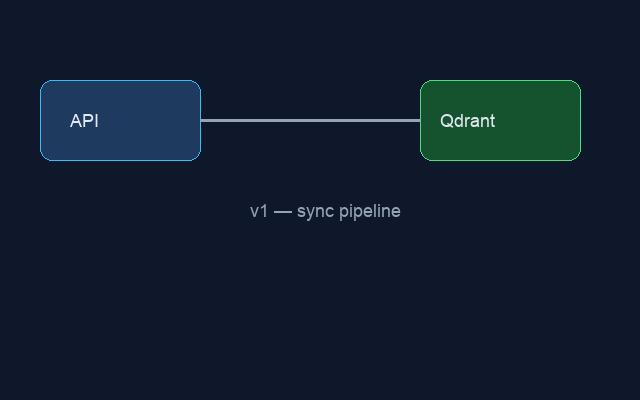
Sample inputs — before and after pipeline:
Before (diagram_v1.png) |
After (diagram_v2.png) |
|---|---|
 |
|
Each tool returns JSON with result, tool, paths, and model.
Part 6 — Agent demo (terminal walkthrough)
examples/agent_demo.py runs all three scenarios:
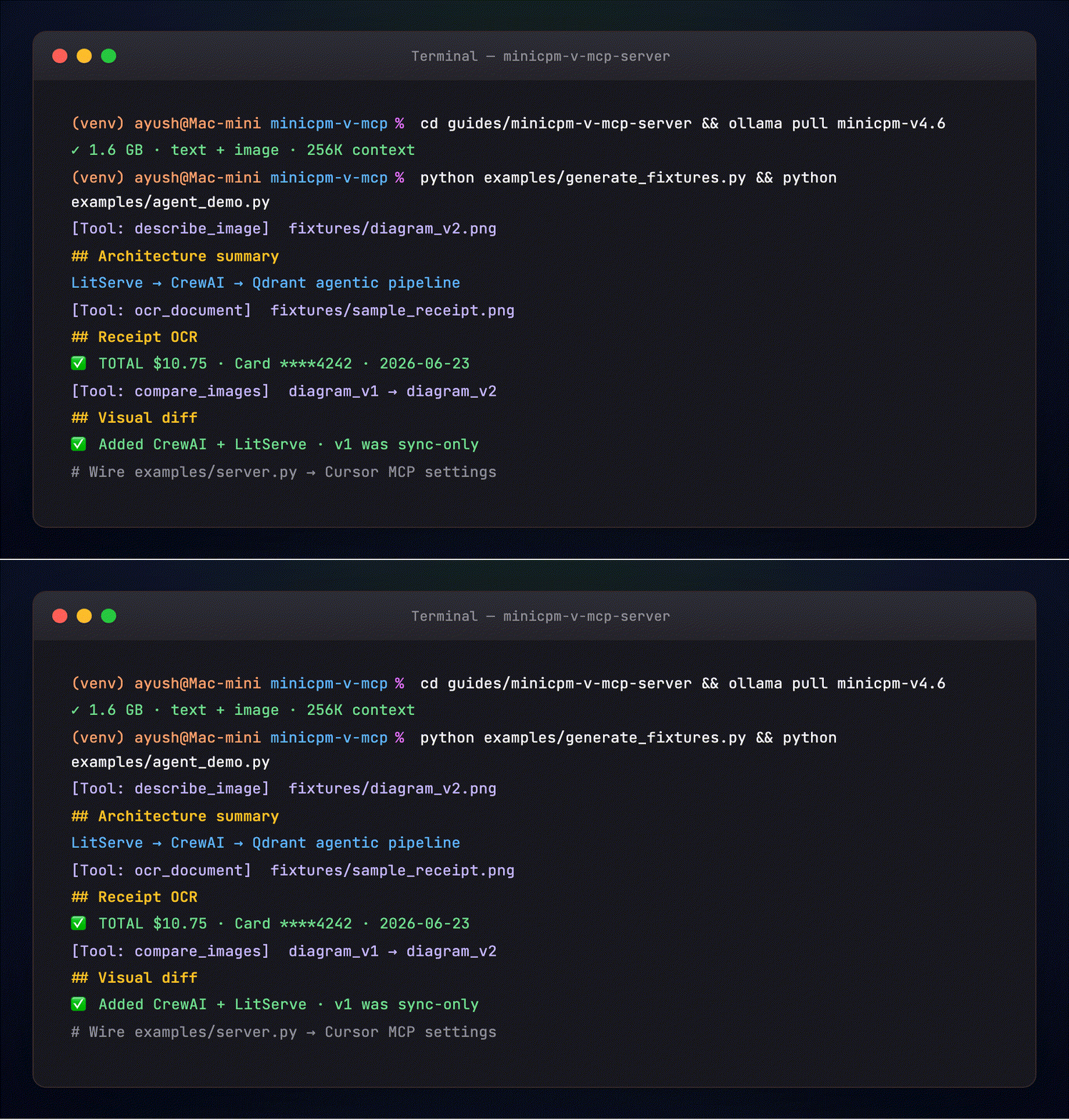
The terminal shows the same flow your MCP host runs:
[Tool: describe_image]  path=fixtures/diagram_v2.png
[Tool: ocr_document]    path=fixtures/sample_receipt.png
[Tool: compare_images]  v1 → v2 pipeline diagrams
Offline smoke test (no Ollama):
Part 7 — Wire into Cursor
Copy examples/cursor_mcp.json.example into
Cursor → Settings → MCP. Use absolute paths for cwd.
Restart Cursor — you should see describe_image, ocr_document, compare_images.
Try: "Use ocr_document on /path/to/receipt.png and summarize the total."
Part 8 — Wire into Claude Desktop
Add the server block from
examples/claude_desktop_config.json.example
to ~/Library/Application Support/Claude/claude_desktop_config.json on macOS.
Restart Claude Desktop. Vision tools appear alongside your other MCP servers.
Part 9 — Sample fixtures
examples/generate_fixtures.py creates:
| File | Purpose | Preview |
|---|---|---|
sample_receipt.png |
OCR demo | |
diagram_v1.png |
Compare — before | |
diagram_v2.png |
Compare — after | |
Copies for the docs site and Medium live under assets/.
Troubleshooting
| Symptom | Fix |
|---|---|
Cannot reach Ollama |
Start Ollama app; verify curl http://127.0.0.1:11434/api/tags |
model not found |
ollama pull minicpm-v4.6 |
| Slow first call | Normal — model loads into RAM; subsequent calls faster |
| MCP host shows no tools | Check absolute cwd in config; restart host |
Next steps
- OpenClaw + MiniCPM-V — send photos on Telegram/WhatsApp
- MiniCPM-V Benchmark — compare vs Qwen3.5-0.8B and Gemma4-E2B
- Qwen Agentic RAG — text RAG crew; pair with this guide for multimodal agents
License
Guide: MIT · MiniCPM-V: Apache-2.0