Overview
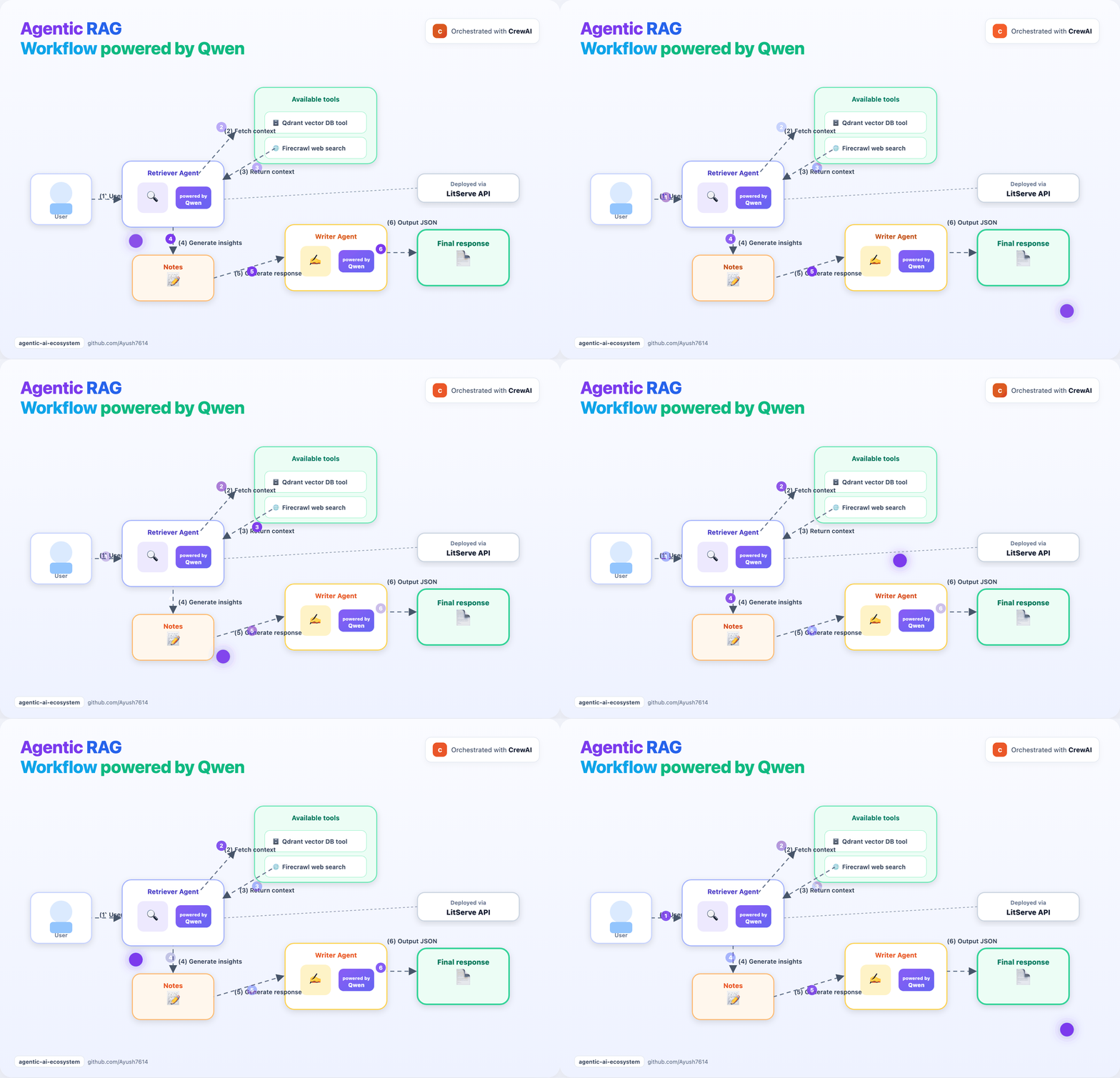
cd guides/qwen-agentic-rag
python -m venv .venv
source .venv/bin/activate
pip install -r requirements.txt

cp .env.example .env
# Add your FIRECRAWL_API_KEY to .env (optional for web search)

# Pull a local model (0.8b fits 16GB Macs; larger tags need more RAM)
ollama pull qwen3.5:0.8b

# Build the vector DB (uses ./qdrant_storage by default)
python setup_vectordb.py

# Start the API
python server.py
In another terminal (CLI or web UI):
python client.py --query "What is cross-validation and why is it important?"
python ui.py   # http://127.0.0.1:7860
Project layout
| File | Purpose |
|---|---|
server.py |
LitServe API + CrewAI agents |
client.py |
Simple HTTP client |
ui.py |
Gradio web UI |
rag_code.py |
Embeddings + Qdrant retrieval |
tools.py |
CrewAI tool for vector search |
setup_vectordb.py |
One-time knowledge-base setup |
TUTORIAL.md |
Full step-by-step walkthrough |
Hardware notes (16GB RAM)
- Prefer
qwen3.5:0.8bor similar small tags (see.env.example) - Avoid
qwen3.6:27bon 16GB machines — it can freeze or crash the system - First response may be slow while models load