OpenClaude Agent Masterclass — Full Tutorial
Everything you need to install, configure, and master OpenClaude — GitLawb's open-source terminal coding agent with 69+ slash commands, multi-provider support, MCP, skills, and permission-gated tools.
Official docs: openclaude.gitlawb.com/docs · Source: github.com/Gitlawb/openclaude · npm: @gitlawb/openclaude
This guide matches our OpenCode Agent Masterclass format: prose and lists, plus diagram and terminal GIFs at 1200×600.
Media assets (copy for Medium)
| Asset | URL |
|---|---|
| Mega overview | https://ayush7614.github.io/agentic-ai-ecosystem/guides/openclaude-agent-masterclass/assets/mega-openclaude-everything.gif |
| Harness stack | https://ayush7614.github.io/agentic-ai-ecosystem/guides/openclaude-agent-masterclass/assets/diagram-openclaude-stack.gif |
| Provider profiles | https://ayush7614.github.io/agentic-ai-ecosystem/guides/openclaude-agent-masterclass/assets/diagram-provider-profiles.gif |
| Slash commands | https://ayush7614.github.io/agentic-ai-ecosystem/guides/openclaude-agent-masterclass/assets/diagram-slash-commands.gif |
| Agent routing | https://ayush7614.github.io/agentic-ai-ecosystem/guides/openclaude-agent-masterclass/assets/diagram-agent-routing.gif |
| Blog poster | https://ayush7614.github.io/agentic-ai-ecosystem/guides/openclaude-agent-masterclass/assets/blog-poster-1200x600.png |
What you'll have at the end
- OpenClaude installed (
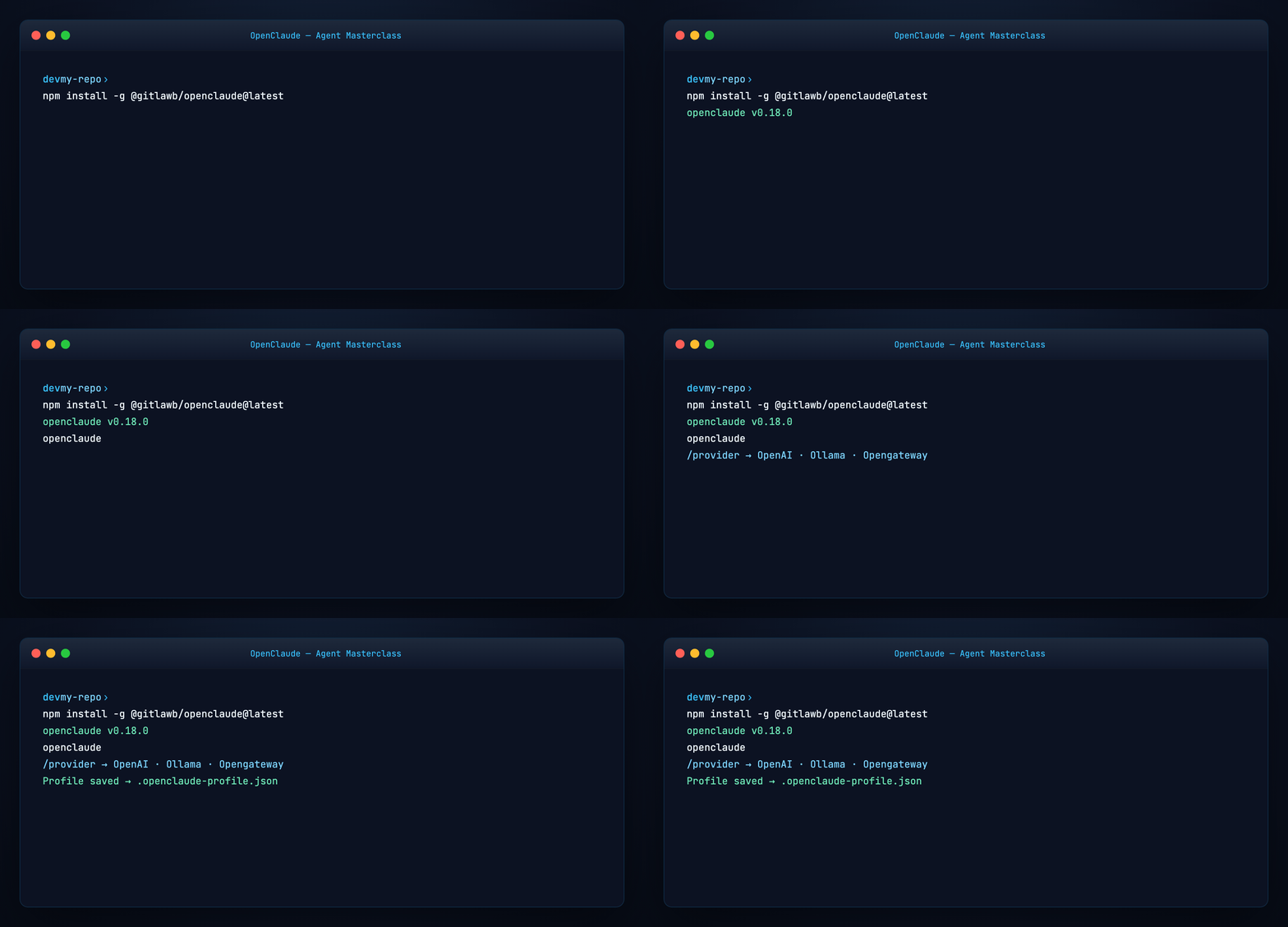
npm install -g @gitlawb/openclaude@latest) - A provider profile saved via
/provider(or env vars for Ollama/OpenAI) - Confidence running tasks, reviewing diffs, and rewinding bad edits
/initproject instructions,/mcp,/skills,/permissionsconfigured- Optional background sessions and per-agent model routing
Introduction — runs anywhere, uses anything
OpenClaude is a terminal-first coding agent harness maintained by GitLawb. One CLI drives cloud APIs and local backends: OpenAI-compatible servers, Gemini, GitHub Models, Codex OAuth, Ollama, Fireworks, OpenRouter, GitLawb Opengateway, OpenCode Zen, and more.
Unlike a chat wrapper, OpenClaude ships a full tool loop: bash, file read/write/edit, grep, glob, subagents, MCP servers, web tools, and 69+ slash commands for sessions, review, memory, and configuration.
The tagline is literal: runs anywhere (macOS, Linux, Windows, Android install path) and uses anything (swap providers without swapping workflows).

Docs hub: openclaude.gitlawb.com/docs
Part 1 — How OpenClaude is structured
flowchart TB
  U[You — terminal / VS Code] --> OC[OpenClaude REPL]
  OC --> SC[69+ slash commands]
  OC --> TL[Tools: bash · files · grep · MCP]
  OC --> AG[Agents · tasks · skills]
  OC --> PR[Provider profile]
  PR --> LLM[Cloud or local model]
  TL --> REPO[Your git repo]
Layers:
- REPL — interactive session with streaming tokens and tool progress
- Slash commands —
/provider,/diff,/mcp,/permissions, … - Tools — permission-gated execution; first sensitive use asks approval
- Providers — saved profiles in
.openclaude-profile.jsonor env vars - Extensions — MCP, plugins, skills, LSP (
/lsp), VS Code extension
OpenClaude does not auto-load project .env files. Prefer /provider for credentials, or openclaude --provider-env-file .env when you need env-based setup.
Part 2 — Prerequisites
- Node.js ≥ 22.0.0 (npm install path)
- ripgrep (
rg) — install system-wide; OpenClaude errors if missing - A git repository (or empty directory) to work in
- API key, OAuth path, or local Ollama for inference
Part 3 — Install
Arch Linux (community AUR):
Verify and upgrade:
openclaude --version
npm view @gitlawb/openclaude dist-tags
npm install -g @gitlawb/openclaude@latest
Part 4 — Wire a provider (/provider)
Start inside your project:
Run guided setup:
This saves provider profiles — recommended over raw env vars for most users. Profiles persist in .openclaude-profile.json (user-level).
Other onboarding paths:
| Path | Command |
|---|---|
| GitHub Models | /onboard-github |
| OpenAI env (fast) | See examples/provider.openai.env.example |
| Ollama local | /provider or OPENAI_BASE_URL=http://localhost:11434/v1 |
| GitLawb Opengateway | Default on fresh install — key from gitlawb.com/opengateway/keys |

Provider table (abbreviated) — full list in upstream README:
- OpenAI-compatible (OpenRouter, DeepSeek, Groq, LM Studio, …)
- Gemini, Fireworks, ClinePass, NEAR AI, Xiaomi MiMo
- GitHub Models, Codex OAuth, Codex CLI auth
- Ollama (native chat API, 32k ctx request)
- OpenCode Zen / OpenCode Go (shared
OPENCODE_API_KEY)
Part 5 — First task (quickstart)
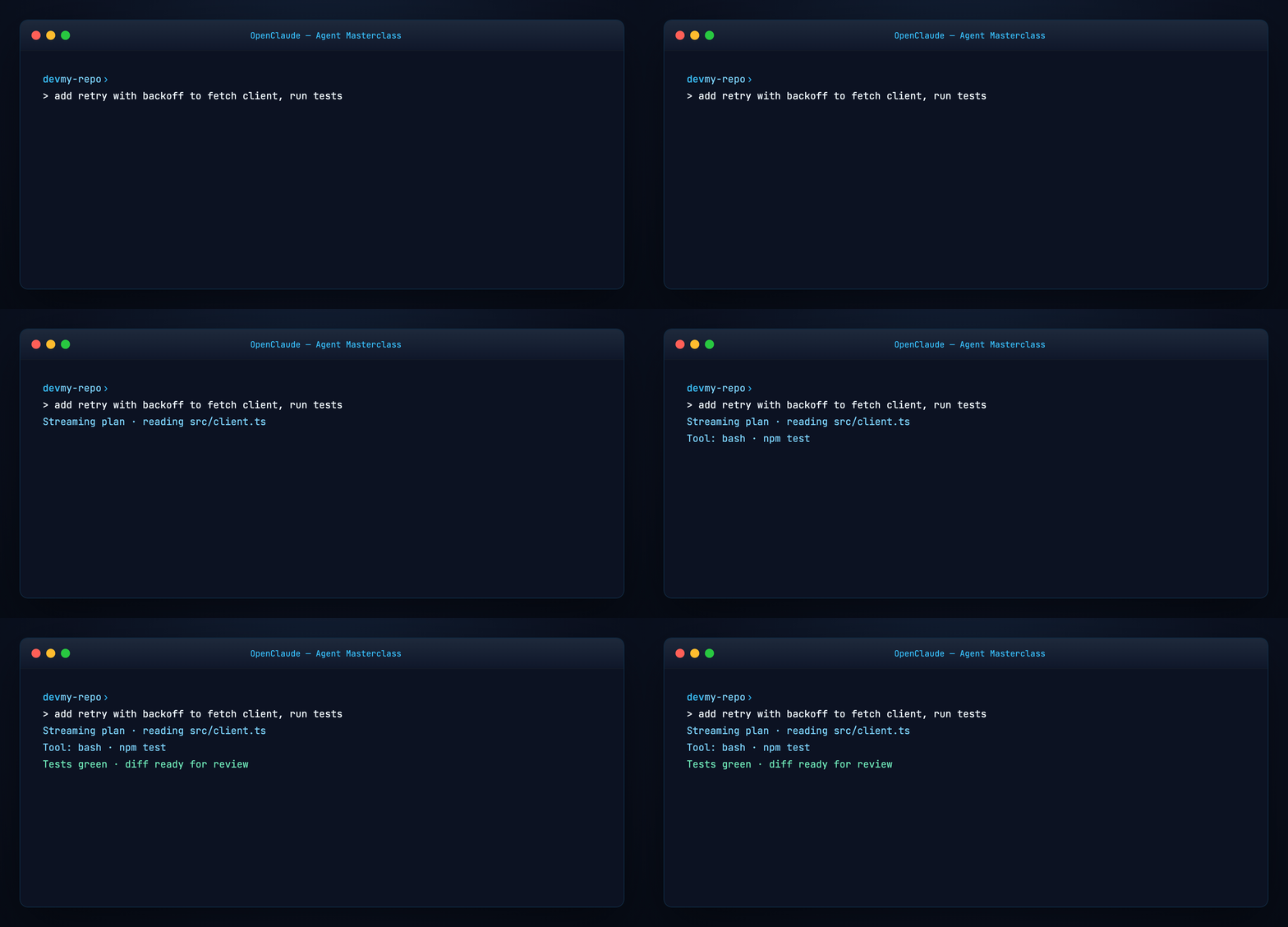
Brief the agent like a teammate:
OpenClaude streams its plan, tool calls, and edits live. Nothing commits automatically — you review first.
Non-interactive one-shot:
Part 6 — Slash commands map
OpenClaude ships 69+ built-in slash commands. Type / for autocomplete. Full reference: slash commands docs.
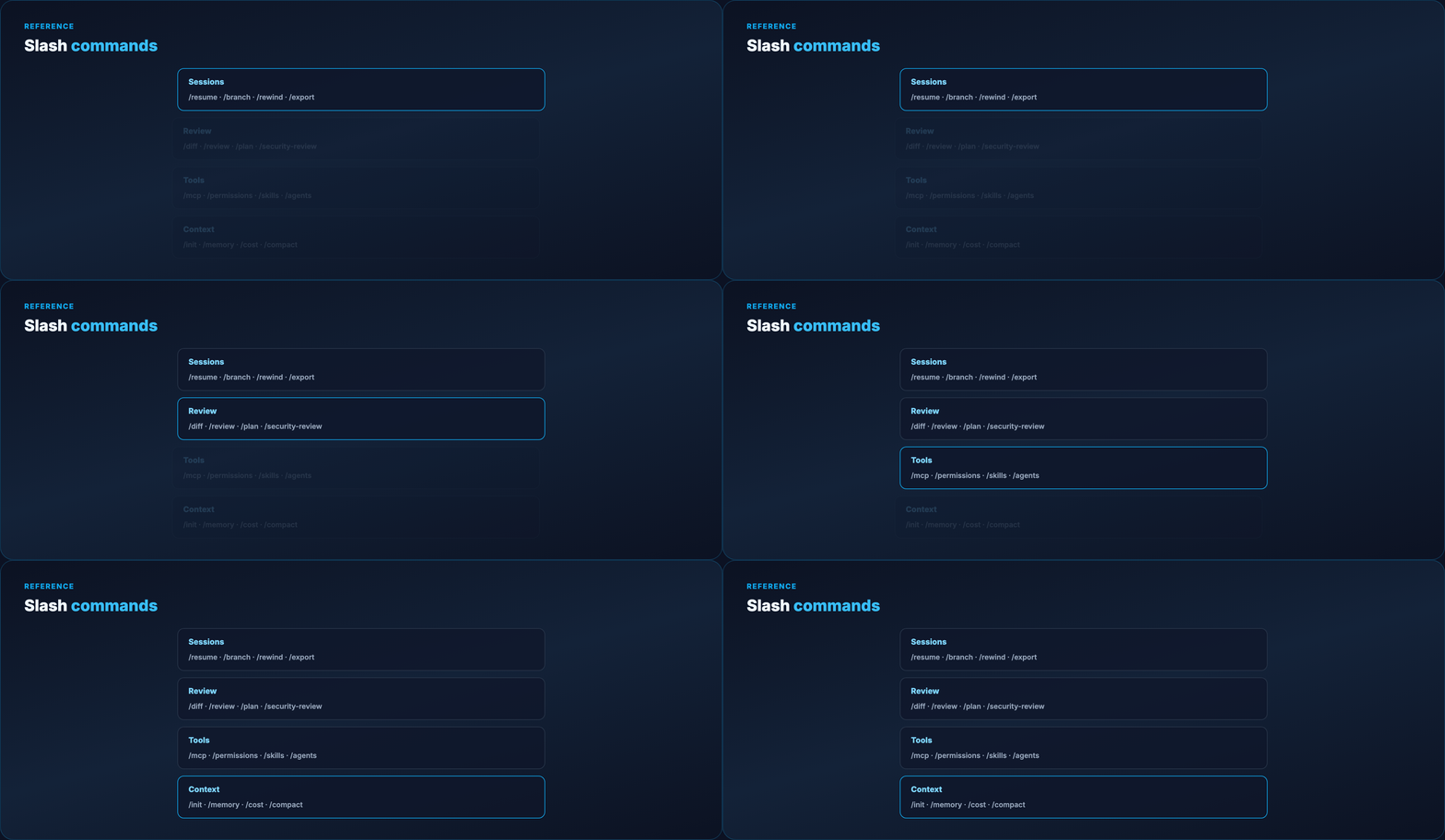
Essential groups:
| Group | Commands | Purpose |
|---|---|---|
| Sessions | /clear, /compact, /resume, /branch, /rewind, /export |
History and branching |
| Context | /context, /files, /init, /memory, /cost |
What the model sees |
| Models | /model, /provider, /effort, /usage |
Provider and model control |
| Review | /diff, /review, /security-review, /plan |
Code review before commit |
| Tools | /mcp, /permissions, /skills, /agents, /lsp |
Harness configuration |
| UI | /config, /theme, /keybindings, /vim |
Terminal UX |
Plugins and skills can register additional slash commands.
Part 7 — Project instructions (/init)
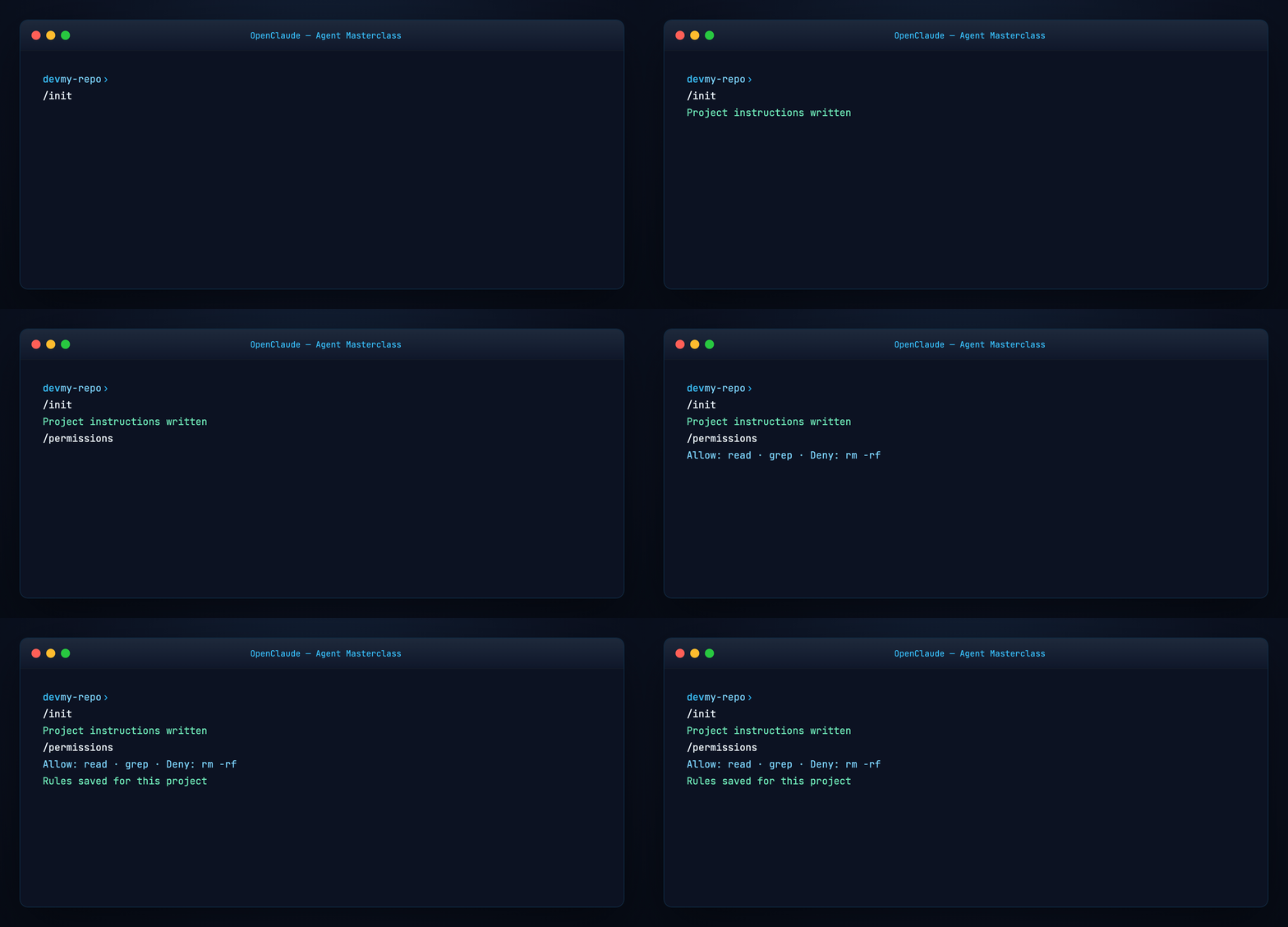
Initialize harness instructions for the repo:
Creates project documentation the agent reads on demand — same harness primitive as OpenCode's AGENTS.md and our Harness Engineering guide. Commit the generated file to git.
Also useful: /wiki init for an OpenClaude project wiki, /memory for persistent user-level memory, /dream for session consolidation.
Part 8 — Permissions and safety
Tool use is permission-gated. First use of sensitive operations prompts approval; persist rules with:
This separates model intent from runtime allowance — core harness engineering. Tune allow/deny rules per project.
Part 9 — MCP servers
Attach external tools via Model Context Protocol:
Enable/disable servers by name. Same MCP standard as our MCP Visual Guide and MiniCPM-V MCP Server.
Combine with /lsp for language-server code intelligence in the loop.
Part 10 — Skills and custom agents
Skills — packaged workflows with front-matter; list with /skills. Example: examples/skill.example.md.
Agents — configure subagents with /agents. Custom agents support maxSteps to cap tool loops:
Built-in routable agents include Explore, Plan, and verification (read-only auditor before completion).
Part 11 — Review workflow
Before committing:
/diff          # uncommitted + per-turn diffs
/rewind        # restore code and/or conversation
/cost          # session spend
/security-review   # branch security pass
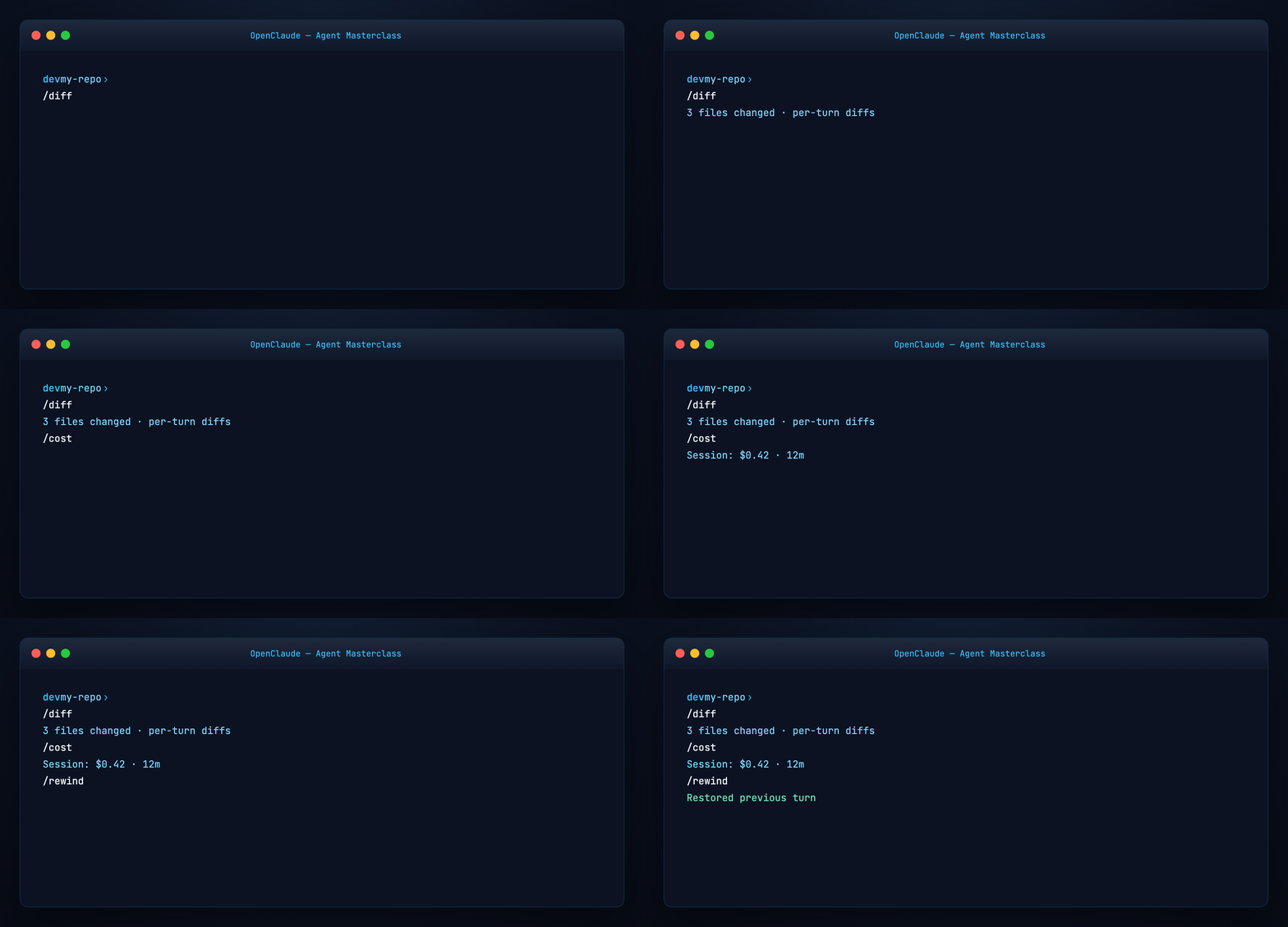
Enable /auto-fix to run lint/test after AI edits. Use /plan for plan mode (similar in spirit to OpenCode's Plan agent).
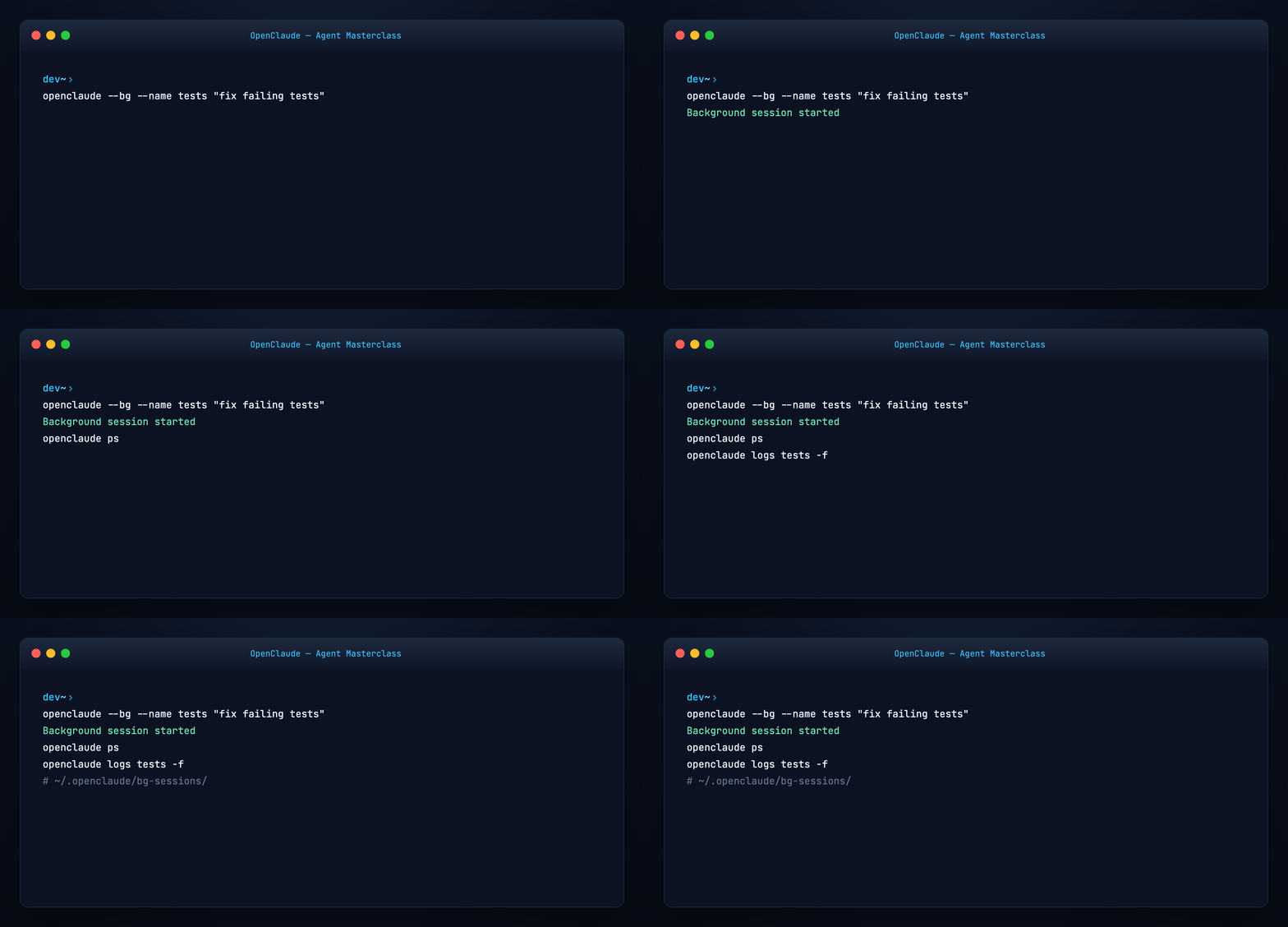
Part 12 — Background sessions
Long tasks without blocking your terminal:
openclaude --bg "fix failing tests"
openclaude --bg --name auth-refactor "refactor auth middleware"
openclaude ps
openclaude logs auth-refactor -f
openclaude kill auth-refactor
Background jobs are local child processes — not a network daemon. Logs live under ~/.openclaude/bg-sessions/ (or OPENCLAUDE_CONFIG_DIR).
Part 13 — Resume and fork conversations
Fork branches conversation history to a new session ID — it does not create a git worktree or filesystem copy.
Inside a session: /branch, /resume, /export.
Part 14 — Agent model routing
Route different agents to different models via ~/.openclaude.json:
{
  "agentModels": { "mini": { "model": "gpt-5-mini" } },
  "agentRouting": {
    "Explore": "mini",
    "verification": "mini",
    "default": "glm-default"
  }
}
Full example: examples/agent-routing.example.json.

Note: /provider sets the global session provider. agentModels + agentRouting override per subagent without changing the parent session.
Part 15 — VS Code extension
OpenClaude bundles a VS Code extension (vscode-extension/openclaude-vscode) for launch integration and theme support. Use /ide inside a session to manage IDE integrations.
Terminal remains the power surface; the extension bridges editor ↔ agent.
Part 16 — OpenClaude vs OpenCode vs Claude Code
| OpenClaude | OpenCode | Claude Code | |
|---|---|---|---|
| Maintainer | GitLawb | Anomaly | Anthropic |
| Provider setup | /provider profiles |
/connect |
Anthropic-native |
| Commands | 69+ slash cmds | TUI shortcuts | IDE-integrated |
| Strength | Multi-provider CLI depth | LSP + desktop app | Deep IDE harness |
See OpenCode masterclass for the Anomaly stack. Many teams pick OpenClaude when they need maximum provider flexibility in one terminal workflow.
Part 17 — Troubleshooting
| Symptom | Fix |
|---|---|
ripgrep not found |
brew install ripgrep / apt install ripgrep |
| Provider errors | /provider or /doctor |
| Ollama context truncation | Set OPENCLAUDE_OLLAMA_NUM_CTX or OLLAMA_CONTEXT_LENGTH |
| Subagent overload (Copilot) | GITHUB_COPILOT_MAX_SUBAGENTS=1 (default) |
| Stale npm version | npm install -g @gitlawb/openclaude@latest |
Run /doctor and /status for connectivity, model, and tool health.
Part 18 — Hands-on checklist
npm install -g @gitlawb/openclaude@latest
cd your-repo && openclaude
/provider
/init && git add -A && git commit -m "Add OpenClaude project instructions"
> implement feature X and run tests
/diff
/permissions    # tune rules
/mcp            # optional servers
Regenerate visuals
cd guides/openclaude-agent-masterclass/assets
python3 render_gifs.py all
python3 render_blog_poster.py
cd ../../..
./scripts/prepare-docs.sh
Further reading
- OpenClaude docs · Quickstart · Slash commands
- GitHub — Gitlawb/openclaude
- Harness Engineering
- OpenCode Agent Masterclass
Summary
OpenClaude is GitLawb's provider-agnostic coding harness: one terminal, saved provider profiles, permission-gated tools, 69+ slash commands, MCP/skills/agents, and review primitives (/diff, /rewind) that keep you in control.
Install once, run /provider, brief it like a teammate, review with /diff, and route subagents to cheaper models when you scale up.
The model changes. The harness — permissions, commands, profiles, review — is what makes it shippable.